When it comes to mobile devices running with Android OS, parents usually have a question in mind: Do Android phones have parental controls? Well, the answer is crystal clear: nowadays, contemporary smartphones are coming up with built-in Android parental control apps.
From blocking inappropriate or dangerous social messaging apps to browsing activities and further content filtering, I will tell you how to set parental control on mobile or set up the first line of protection on kids’ and teens’ Android mobile phones and tablets.
We always advise using a dedicated Android parental control app like TheOneSpy. Nowadays, parents are usually busy making bread and butter for their children, so we have devised the easiest way to monitor kids’ and teens’ online activities.
Mobile built-in Parental Controls
There are few mobile carriers that have built-in parental controls on their devices, like Verizon and T-Mobile. This gives you full control of kids’ devices. This enables parents to find the locations and confirm where their child is moving and what they watch online.
Third-Party Parental Control Apps
For extra protection and security, third-party parental control applications come in handy to help you with your kids’ safety. This enables users to know everything that happens on the targeted device without knowing. Having the best parental monitoring app like TheOneSpy, you can monitor all activities on the device to know what’s happening on it. This is one of the most convenient and authentic ways to monitor kids’ activities to prevent them from online harm.
Why Set Android Parental Control on Kids’ Devices?
Using built-in parental control is the first line of protection for kids’ and teens’ Android cellphones and tablets. The contemporary mobile devices empower parents to set dos and don’ts for kids and teens. However, youth are highly addicted to digital devices, including smartphones and tablets connected to the internet. Let’s discuss some statistics below.
Teens’ Cell Phone Addiction Statistics
- Almost 59% of teens and kids believe that they are mobile device addicts, according to CNN
- Nearly 80% of teens say they check their mobile in an hour
- 72% of teens say they feel to respond on mobile abruptly
- Parents say 8 years to 10 year old kids spend too much time on digital devices
- 59% of parents said in a poll that their children are obsessed with mobile devices
- Almost 1240 parents participated in a survey with children ages 12 to 18
- Nearly 18 research studies have found that 26% of adolescents are addicted to the internet, using smartphones
Nearly 85% of mobile devices all across the globe are of the Android OS. It means there is a dire need to perform digital parenting on kids’ and teens’ Android devices.
A pulse survey found the average report of kids using cell phones and how parents say yes to monitoring their activities.
This survey shows:
85% of parents keep their kids safe and stay connected
36% parental controls to limit the time spent on their kids’ devices
72% of parents know how to unlock their kids’ devices
42% of parents monitor their kids’ devices to save them
53% of parents check their child’s phone activities remotely
64% of parents install parental control apps when giving cell phones to children
Parents give freedom to their children but prioritize their safety.
How to Set Android Parental Control App on Kid’s Devices?
Building a master account on a cell phone and designating user accounts for kids is likely not foolproof. It enables you to filter and safeguard kids’ and teens’ inappropriate activities online on cell phones and tablets. However, setting controls on kids’ and teens’ Android phones could be tricky and complicated.
Visit the Web Browser of Android Device
 Dedicated parental control apps require a little dedication from parents, and first, they have to visit the built-in or installed web browser on their mobile device. Take a step ahead and search for parental control software for Android. However, check the compatibility of it with the target handset of kids. Once you have the results, then follow the next step.
Get Android Parental Control App Subscription Online
 You can access your desired dedicated monitoring app and get a subscription online. As a result, you will get the login credentials by checking your email inbox.
Get Physical Access on Target Android Phone
 It is a crucial step; you must physically access the target Android device. Remember, without getting physical access to it, you won’t be able to use it. So, start the installation process, and after you have done it, activate the target handset or tablet.
Use Login Credentials
 You are free to use the login credentials and get access to the online control panel. Moreover, you can visit plenty of Android parental control apps, but TheOneSpy is the best software for parents.
Use Parental Control for Android: Best Features
 Plenty of Android parental monitoring software is available on the web, and we have accumulated a few mentioned below. Best Parental Spy Software for Android provides you with a layer of care and protection for your kids. Having this:
Web Filtering
 Digital parenting is as important as real-life parenting these days. So, you can monitor kids’ and teens’ activities in terms of browsing activities with internet browsing history, and further, you can filter or block all the inappropriate websites on the target device with a web filtering tool of a cell phone tracking app.
Android Parental Control App Feature: Live Screen Recording
 Parents can also get to know what kids and teens are doing on the mobile screen with live screen recorder software. You can record real-time screen activities when kids are up and on the mobile. You can record short videos in a sequence and series and watch live-recorded videos using an online control panel.
Remote Android Controller
 It happens most of the time that young kids and teens perform such activities that are more likely to put their safety. So, you can use a phone remote controller app to remotely view installed applications on a kid’s mobile device and further block text messages, incoming calls, and last but not least, block internet access on the target device.
GPS Location Tracker for Android
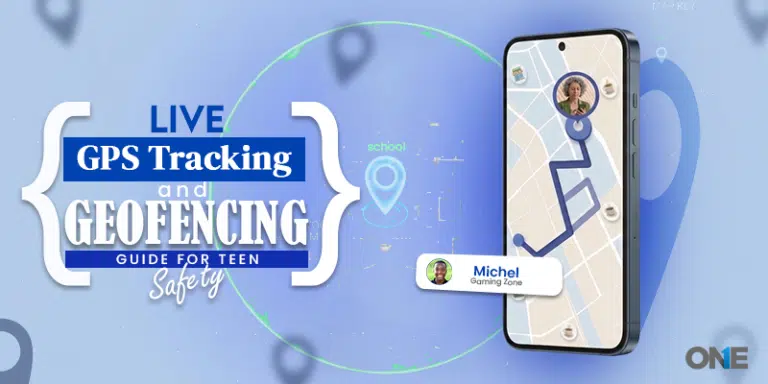
 Parents are scared of their surrounding neighborhoods, especially during festivals like Halloween, Valentine’s Day, and Christmas. So, parents can remotely track the kid’s GPS location in real-time with the location tracking app and get to know the live location with pinpoint accuracy. Further, you can create an electronic fence in some places by tracking kids’ digital devices. At the time when kids are going outside the fence and move to a dangerous place, parents will get instant email notifications. Furthermore, parents will also view the location history of kids in a certain period, likewise in a day and a week.
Social Media Monitoring
 Nowadays, social media apps and instant messengers have become a headache for parents. They become curious why kids and teens used to spend too much time on social messaging apps. Now you can track instant messaging apps’ logs, Facebook, Snapchat, Instagram, Vine, Viber, and WhatsApp. Parents can get the logs of social media platforms in terms of messages, text conversations, audio-video social media calls, shared media files, and WhatsApp Voice messages in particular.
Surround Recording
 Apart from keeping an eye on children’s digital devices, now parents can even record voices and conversations in the surrounding region of an Android smartphone. You can control the MIC and cameras of the device to record surrounding conversations and also capture visuals of the surroundings with the MIC bug and camera bug features, respectively.
Live Call Recording & Text Messages

Young kids and teens are obsessed with making mobile calls and using their fingertips to message all day. Parents can record and listen to phone calls in real-time with secret call recorder apps for Android. Besides, you can also spy on text messages sent/received, SMS, MMS, and others with a text message monitoring app.
When Should Android Parental Control be Set on Children’s Devices?
These days, young kids and teens can access the internet on their Android handsets and tablets. Therefore, they love to explore things online on their mobile at a young age without knowing the internet’s netiquette. So, they adopt social media platforms and start making accounts on multiple platforms due to peer pressure.
Besides, teens get started posting things online in photos and videos without knowing the threats online. So, the first encounter they usually face is cyberbullies on social media apps and instant messengers. Moreover, teens and kids also get involved in bullying others online.
Furthermore, teens are getting involved in social media with dangerous trends that can injure them badly or put their lives at risk. Online dating with strangers over the years has become a norm for teens and tweens using their mobile gadgets. So, they use online dating apps and often get trapped with strangers and sexual predators.
Online dating ultimately leads teens and kids towards adult content, and digital devices such as mobile phones have become underrated theaters in their pockets.
Online sharing on social media platforms has made teens victims of slut-shaming, and self-obscenity is one of the most dangerous activities for teens due to their obsession with smartphone technology. That’s why parents have to perform parenting online on their Android devices.
Cyberbullying Research Center Statistics
- Cyber bullying is quite different than traditional bullying; it is happening 24/7
- Almost 33.8% of the students are victims of bullying online
- Kids and teens between the ages 12 -17 are more likely to bully online due to the usage of digital devices
- 35% of school-going teens become the victim of bullying online
- 30% of school-going boys have to face bullying at school & on digital playgrounds
Where to Set Android Parental Control
Does the question arise where you need to set parental tracking to know what kids and teens are doing all the time on their mobile gadgets? The answer is pretty simple: parents have to know every single activity kids and teens are doing on the web.
The cellular network of a cellphone, and most importantly, on installed social messaging apps and instant messengers. These are the places of a mobile device where children are used to spending most of the time without having the consent of their parents, or they do it secretly.
You may have heard the term “pocket porn.” It comprises watching adult content on mobile devices installed or built-in browsers, especially late at night. Parents have to know what sort of websites children used to visit and what sort of social media platforms they are using currently.
So, parents have to do online parenting on the Android device screen, web browsers, call logs, messages inbox, and install the application. All you can do when you have parental tracking software for Android, packed with dozens of features.
What to Do to Set Built-In Android Parental Control?
Contemporary digital devices have built-in controls that empower parents to limit their activities on their gadgets and tablets. Built-in activity-limiting tools are the first line of protection against kids’ and teens’ inappropriate activities. Let’s get to know how you can use it.
Create a Pin
If you are planning to build parental control on an Android device, then you have to activate the screen lock first and foremost.
Go to Home Screen & tap on Settings
Once you have access to the menu, you choose the security of the screen lock that is placed at the personal subheading. Furthermore, underneath the screen security, tap on the screen lock, and then you ended up entering the pattern password.
Create an Account for a Child
Most of the devices need a user account, and the same is the case with the Android device. Simply, parents should make themselves a major user and make an account for their kids that must be restricted.
Tap on the Settings icon using the Home Screen
Underneath the settings, you will have an option to add new users. Now you will be directed to designate this as a major user account, and further, you need to choose the restricted profile. If you have not activated the screen lock, then you have to do it now.
At the time when the restricted profiles are inhabited, you will have a list at the very top of the screen. Besides, go to the settings icon at the right place of the new user profile and give it a name.
Kid’s Settings
Below the restricted user profile, you will encounter the complete list of apps that are available, and it works on the device, likewise location settings, games, and the browser. Now you need to pick the off and On manually, particular apps that you consider inappropriate for kids.
Google Play
Now filtering the content on android comprises via the Google interface, so you will need to navigate to the Google Play icon to deal with the content settings, particularly for the restricted user account of your child.
This is how parents can use built-in parenting control on android devices, and you can restrict your children to certain apps and activities. However, modern youth is more tech-savvy than their predecessors. Therefore, what you think about first-line protection on kids’ devices would enough to safeguard them from cyber dangers.
Who can Set Android Parental Control?
Parents or guardians can set parental monitoring on kids’ and teens’ Android devices. Other than that, it would be considered illicit and intrusive surveillance on kids’ devices. Therefore, our parental monitoring tool doesn’t encourage anyone to spy on kids’ and teens’ devices unless they have a parental relationship with the children.
A single mother and a single father can monitor their kids and teens android devices unless they have the children’s supervision or parents have a mutual understanding of this particular activity. So, it is clear now that only parents or guardians can set parental surveillance on kids’ and teens’ Android activities to make sure their online safety.
Is it Enough to Set Built-In Android Parental Control?
As far as adolescents are concerned, parents can use built-in Android monitoring or restrictions, but when it comes to the tweens and teens, parents don’t take them for granted. The youth who have opened their eyes under the influence of modern technology are fully aware of the built-in restrictions of smartphone devices, and they know how to derail these restrictions to the fullest.
So, parents have to go for the dedicated Android parental control to know every single activity kids and teens have performed or performing in the present time on their digital devices. Otherwise, they are putting their security at stake and in the end, somehow they will face digital nightmares, particularly in the form of stalkers, bullying online, slut-shaming, bunny hunters, and plenty of other inappropriate activities and become sexually exploited.
The Bottom Lines:
Parental control for Android is the best solution for online parenting of kids, rather than just wasting time on built-in parenting control settings in Android phones. Parents have to get their hands on the dedicated monitoring app for kids’ safety rather than getting their hands on one that gets exploited by the tech-savvy young generation.