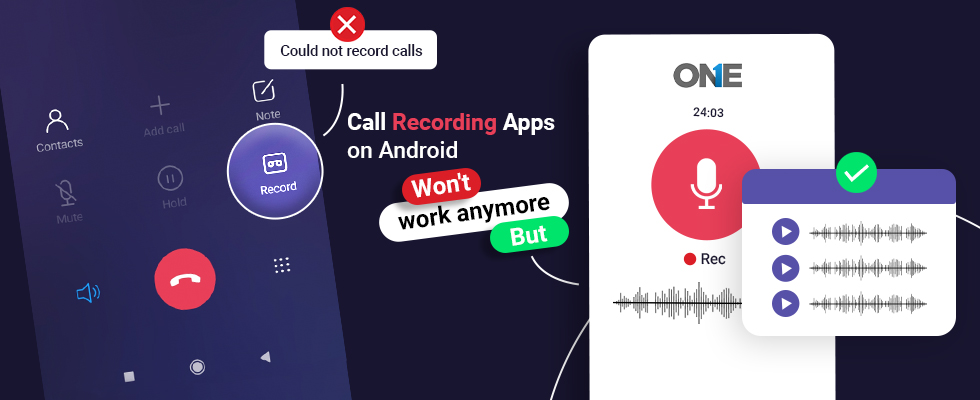
Do you want to record live calls on Android? Well! The fastest and easiest way that comes to mind is to use the built-in call recording apps. Android phone users can answer the call and tap on the button to record incoming and outgoing calls. However, the audio call recorder is available after you answer the call. Explore what issues have occurred that prevent recording from being possible. Built-in and free third-party call recorder apps are seemingly worthless for users, and today, we discuss the solutions that empower you to get rid of the issues of recording live phone calls on Android phones. How can you get the job done?
Why Could So Many Call Recording Apps Not Work On Android?
The answer is not that simple to say why we cannot perform recording calls on smartphones running on Android operating systems. We have to understand the following to know about the root causes:
Limitations & Requirements For Built-In Apps For Call Recording
- You have to have Android OS version 9 and above devices to use the option.
- You need to update your phone to run the updated OS versions.
- You have to install the advanced phone app version on your cellphone. You can visit Google and read how to update apps on Android manually, by using phone settings and automatically.
- Remember, your Android phone and Carrier should support the call recorder feature on Android phones. The older OS phones may not work.
- It depends on the area or region; the Android call recorder apps do not support your target device.
- Android feature or app may support your phone, but it may abruptly end the call as the recording option appears.
- In some countries, the call recording app does not work by default in Android core settings, and the built-in apps cannot bypass the settings.
- In other countries, the option is disabled, but third-party apps that call can successfully bypass the restriction.
- Some countries’ options may be disabled, but you can use third-party Play Store apps and other commercial third-party apps to record live phone calls on your phone and your target phone belonging to you.
Warning
Recording phone calls on your phone or your target device requires the consent of the person you are talking to. It also depends on the region you are living in because recording phone calls is only allowed unless you inform the target person or the target device belongs to you. Call recording on Android for parental controls and business safety is legitimate; other than that, it would be considered cybercrime.
Clean The Android Phone Cache
You can visit the settings of your phone and visit the Apps. You need to select the phone app and go to the storage option.
- You have to tap on the clear cache button.
- Go to the settings, and choose storage to remove all the junk files.
- You can restart your Android device to check the results.
Allow Apps To Record Calls Using Accessibility Settings.
Are you using Android 11? You need to visit Accessibility settings and turn on the record phone call option. Further, you can install any third-party call recording app.
Don’t Leave Any Pending Updates.
Built-in call recorder software could become outdated, and you have to update the apps on your phone to avoid issues while recording phone calls on Android.
Third-Party Call Recording Apps Useless On Android Starting May 11 ~ Google
Built-in & Play Store third-party apps that record calls on Android are useless because Google Play policy has been rendered effectively after May 11. So, you cannot visit the Google Play Store anymore to download a free call recorder for Android phones.
- Google has a new policy that will not allow third-party apps to record calls.
- The new policy will not affect the call phone function by default on some phones.
- Third-party call recorder software for Android will not work anymore after May 11.
Google has introduced some changes in the Play Store Policy starting after May 11 that will cease the call recording apps on cellphones running on Android operating systems.
Google is removing APIs time-to-time, allowing users to record calls on many OS versions. The company has introduced a new policy for the safety and privacy of the users because the laws behind recording phone calls change from country to country and state to state.
Do you know? Google has blocked the call recorder in Android 10 by default. Play Store applications come in handy to deal with the restrictions, and they have started to use the Accessibility API to record live phone calls.
Google has killed the last hope and made it no longer possible for Android users to record calls on Android using free call recorder apps available on the Play Store.
Google Policy Is Limited To Restrict Third-Party Apps Available on Google Play
Native apps that record live calls on cellphones, like Xiaomi and Google Pixels, using Mi Dialer, would not have any issue. However, Google has shifted its policy to third-party apps that call on Android phones. Applications work as default dialers and already have accessibility and do not need access to an audio stream, and they will not be in violation. The system apps would get permissions because of their availability on the phone. So, third-party apps would not have the same position to get permissions.
What Options Do We Have To Record Live Calls On Android Phones?
Google has restricted to play store free call recorders on the Play Store, but commercial Apps for call recording can get the job done. They are even sturdier because users can record live incoming and outgoing calls on Android phones. You can visit the top brands of Android call recording solutions and install them on your target phone to record and listen to the calls remotely after one-time physical access to the target device.
Use TheOneSpy To Record Calls On Android Phones
TheOneSpy is one of the best call recorder apps on any Android phone. It is easy to download and install commercial applications. It has dozens of features other than recording phone calls on Android phones. It empowers you to listen to incoming and outbound calls and send the data to the web control panel.
Users can install the commercial phone call recorder by visiting the official webpage and getting a subscription. You will receive credentials. Install them on the target device, and access the online dashboard.
Users can access the dashboard and activate the features that are as follows:
Record Phone Calls
Call recording is one of the best features of TheOneSpy. It enables users to record phone calls on Android incoming and outgoing calls with no root. Users can use it on any cell phone device running on different operating systems.
- You can download the data and listen to the recorded phone calls at any point.
Call History
Users can monitor all history on the target phone and view the logs of incoming and outgoing calls with the schedule.
- You can also view the contact number and the number of missed calls.
VoIP Call Logs
A VoIP call log is a TheOneSpy feature that enables users to watch call logs on social networking apps. You can watch VoIP call logs on Facebook, WhatsApp, Snapchat, Line, Vine, and Skype.
Block Incoming Calls
Users can block incoming calls on their target Android phone, and particular callers cannot make phone calls on your target device that you have provided to your kids or employees.
VoIP Call Recording
VoIP call recorder is an app to use on trendy social messaging apps on Android phones. It is a non-rooted feature that allows users to record and listen to one-sided Voice calls on WhatsApp, Facebook, Viber, Line, Skype, Vine, and many more.
Conclusion:
Forget about the third-party call recording apps available on the Play Store. Google has killed the apps that record phone calls on Android. So, choose a commercial and reliable call recorder solution for Android, like TheOneSpy, for recording and listening to calls for parental control and employee tracking.