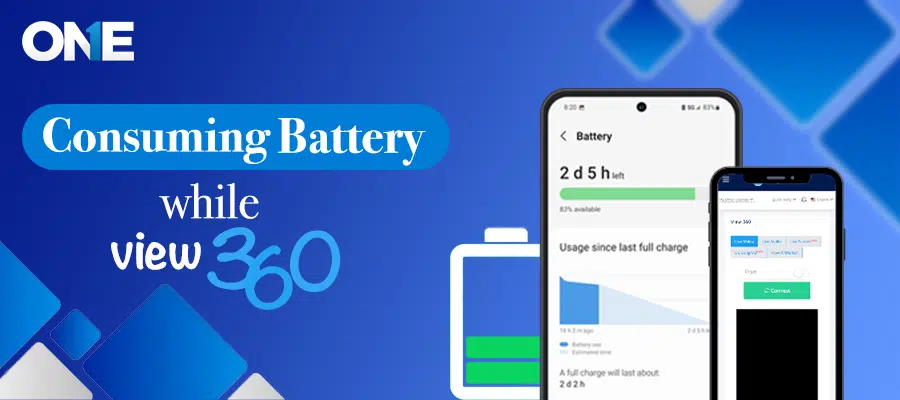
Spy view360 is a cutting-edge monitoring feature that enables users to spy on real-time access and the surroundings of targeted devices. This feature comprehensively monitors the device’s background through video and audio. Users can seamlessly listen to audio and view surroundings from TheOneSpy app web control panel.As previously explained, connecting to view360 results in the live streaming of the target device’s video and audio. Prolonged use in this manner can lead to high battery consumption, primarily due to the simultaneous use of the camera and microphone. This could potentially impact your device’s performance, causing it to slow down or overheat, making it essential to manage your battery consumption. To assist you in this, we’ve provided some workarounds below.
The first solution is to use the view360 Live Video feature. This feature allows users to disconnect after 5 minutes. It frees up phone resources and prevents phones from high battery consumption.
Note: If you don’t want to disconnect every 5 minutes, you can use the Liv Long Vid (view360) feature, but it may consume battery
Another solution is to restart the device. This will free up phone resources and reinitialize all of them after reboot, which could resolve this condition.
#Step 1:
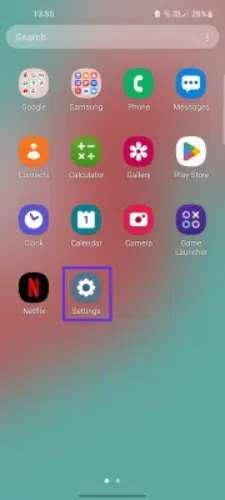
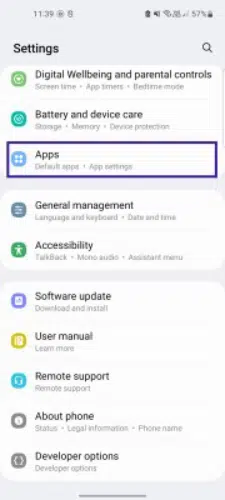
Go to the “Settings App”, scroll down, find the “Apps” option, and tap on it.
 #Step 2:
Find “Android System Manager” from the installed app list and click on it.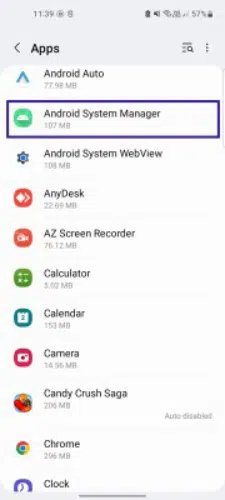 #Step 3:
Now scroll down, find the “Battery” option, and tap on it.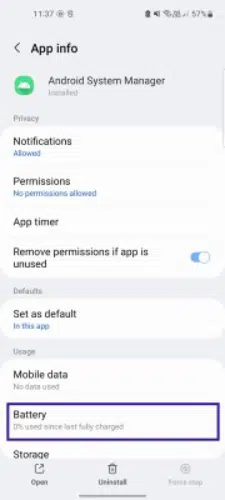
 #Step 4:
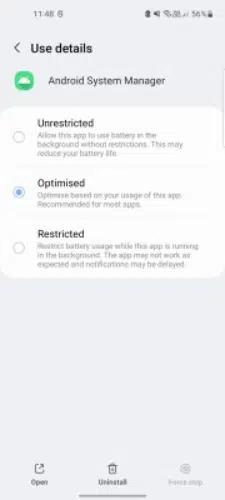
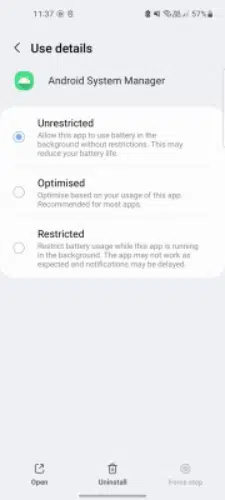
Now click “Unrestricted” to allow the TheOneSpy app to use the battery in the background without restriction.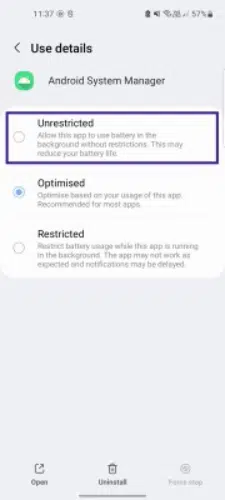
 #Step 5:
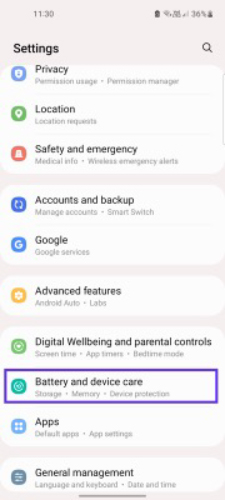
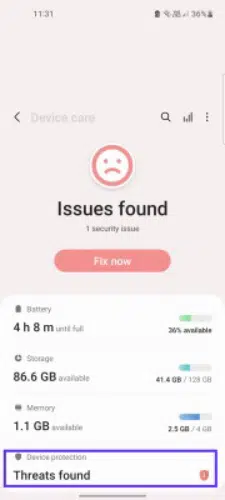
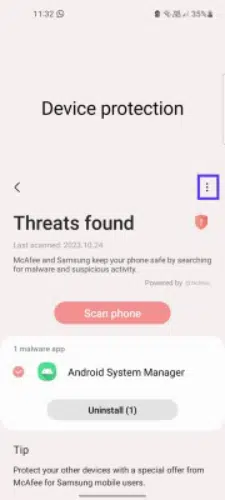
Go to “Settings” & Tap on the “Battery and Device Care.” Click on “Threats found” and click on three dots.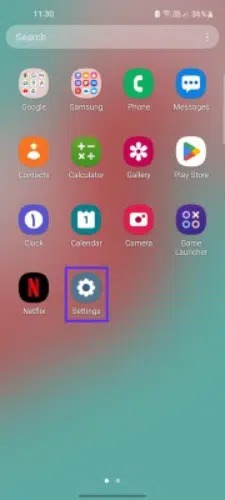
 #Step 6:
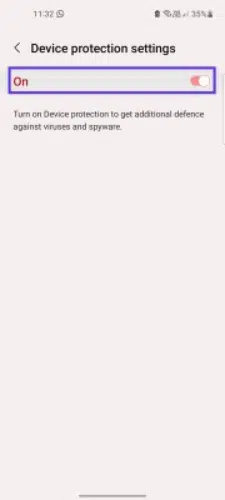
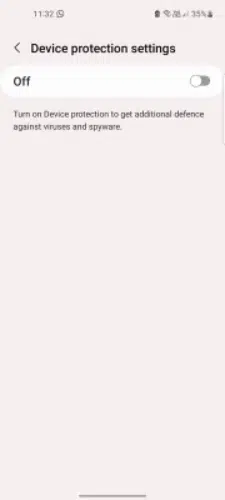
Click on “Device Protection settings” and turn off the switch.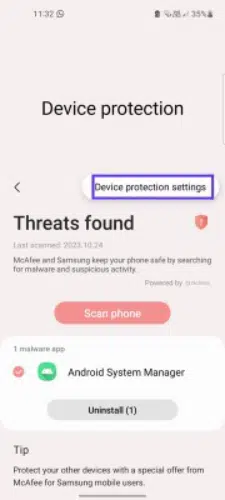
 Combat battery-consuming issues while using spy 360. control this by utilizing the battery settings to eliminate the battery-draining problems.