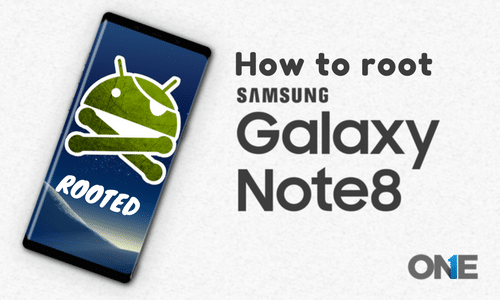
In this article, we will guide you through a step-by-step procedure to root the Samsung Galaxy Note 8.
Step-by-Step Guide to Rooting the Samsung Galaxy Note 8
Android devices are popular among users; the Note series of Samsung is one of them! Having plenty of features, there are an infinite number of users who expect more and more from the manufacturers. On the other hand, when they realize that they can get more apps with the help of rooting the device. Rooting enables Android users to get the particular apps and software that they really want to use on their Android devices. If you are looking to root the Samsung Galaxy Note 8, then you are at the right place and right time. Today, we are going to guide you on how to root the Samsung Note 8. It is arguably true that the Samsung Note 8 is one of the most famous gadgets of the Note series.
In order to get all the features of TheOneSpy app, one must root an Android phone. This way, the monitoring, tracking, and remote control features work completely and accurately.
It is going to be a flagship cell phone device from Samsung. It has outstanding and robust features, such as a super AMOLED 6.3–inch display along with Gorilla Glass safety. The latest model of the Samsung Note series is coming up with a dual camera setup on the rear, a dual 2 MP camera on the rear and an 8MP selfie camera on the front. The device is running Android Nougat. Last but not least, Exynos 8895 Octa (Qualcomm Snapdragon 835), along with the 6GB RAM. The Samsung Galaxy Note 8 has a powerful battery of 33000 mAh Battery Backup.
Now we have discussed a little about the specifications of the Galaxy Note 8. Without further ado! We are going to guide you on how to root the Galaxy Note 8. Having an aim of rooting the Android device, initially, we have to keep in mind a few prerequisites in order to avoid any mishaps, such as wiping out stored data and damaging the cell phone device.
Prerequisites
- Rooting Method applies only to the Samsung Galaxy Note 8
- Rooting also requires almost 75% battery power
- PC is compulsory to perform rooting on the Samsung Galaxy Note 8
- Rooting process doesn’t guarantee you, in case of damage to your Android cell phone
Need to download the following!
- You need to download the Samsung Galaxy Note 8 CF-Root
- You need to download the ADB driver
- You need to download Odin Tool
Authorize OEM Unlocking & USB UN-scramble
Now you have to authorize OEM unlocking and fix USB errors. Therefore, to do this, you need to visit the settings> about phone>software information and then click at least 7 times on build number to allow the developer option. After that, go back, and then you will realize the option. Tap on it and allow OEM unlocking and USB debugging.
Steps to Perform Rooting on Samsung Galaxy Note 8
- Firstly, you have to download the CF-root from the download section.
- Then you have to download the mighty Odin tool on your personal computer/laptop device or anything else you have! Always pay attention that you have already installed ADB drivers on your computer.
- That’s it! You will have a successfully rooted Samsung Galaxy Note 8 in rooted form.
We hope that it will really help you out while rooting the Samsung Galaxy Note 8.
In case you have failed Rooting Android device!
In case of having problems while rooting an Android device or jailbreak the IOS device, then get your hands on TheOneSpy’s worry-free installation service. TOS’s worry-free installation service is for those who don’t have the spare time to perform the process or are facing issues in rooting or jailbreaking the device. Put your worries to rest and allow us to tackle your problems. We will provide you with ultimate, reliable, and highly talented technicians that will login to your device remotely and root and jailbreak the Android or IOS phone.
Key point:
Physical access of a user still requires on the target cell phone device.