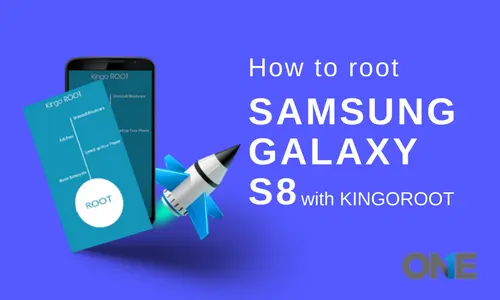
The Samsung Galaxy S8 device was released on April 21st this year. The Android smartphone device has a non-removable battery and runs on 7.0 Nougat, along with plenty of robust functions that are fascinating for Android lovers. The cell phone device has gained huge popularity among users because it has a huge internal storage space of 64 GB, which can be further extended up to 256GB via a micro SD card. This is not all about the modern Samsung device; there is no doubt that every Android user wants to have this in their hands. Having all the attributes of the Samsung Galaxy S8, there are plenty of users out there who want more and more from a single cell phone device. They cannot uninstall the already installed bloatware, which is been installed by default and serves for the sake of interest.
The user doesn’t even block ads, because we all know that ads are very necessary for service providers, and this type of stuff keeps them in the business. Sometimes, for most of the users, these types of ads and restrictions made by the manufacturers are irritating for users. However, rooting the Android device can break all the barriers that you are facing while using a cell phone. Furthermore, it enables users to block all ads, install or delete applications that were not possible before rooting the Android device. KingoRoot enables the user to root the Android device, such as the Samsung Galaxy S8, in the easiest, safest, and most effective way. Let’s try KingoRoot!
Root Samsung Galaxy S8 with KingoRoot PC version
Necessary Things to Root an Android device!
- Cell phone devices should power on
- The minimum battery power should be 50%
- The connection to the internet is compulsory
- The USB cable of a device should be original
8 Simple Steps Guide to Root Samsung Galaxy S8
Start Rooting Method
Step1:
Install the KingoRoot Android PC version
Downloading will start rapidly, and the application will be installed on your personal computer in no time.
Step2:
Now it is time to double-click on the icon of the KingoRoot and then activate it. You will see the interface very soon below.
Step 3:
Now, it is time to plug in your Samsung Galaxy S8 device to your computer through USB.
Plug your Android device into your computer via USB cable! In case your USB cable is not installed on your particular computer, KingoRoot itself installs it automatically. The internet connection should be activated in order to successfully download the driver on your device. If you are facing a problem connecting the device, then you need to refer to the device as not connected. On the other hand, if you have Windows 8 installed on your personal computer, then you have made some changes to the settings. Because while installation a user is most likely to face driver installation looping.
Step 4
Enable debugging mode on your Samsung Galaxy S8 device. It is one of the most important steps while rooting the Android cell phone device via KingoRoot.
Point to be noted!
You need to stay focused on your device screen for a prompt window. Click on “Always allow for this computer”. In case you don’t, then there will be high chances of getting yourself an OFFLINE DEVICE.
Step 5:
Keep an eye on all the notifications received on your Android device before rooting it. Rooting doesn’t contain a hard and fast rule; it provides plenty of benefits, but risks as well. It is actually a process to modify the manufactured operating system by the company, resulting in altering or replacing the system applications and settings, allowing you to use specialized apps and facilitating the removal and replacement of the Android device system with a custom one. Once you have rooted your device, the warranty of your device cannot be claimed after that. Then click on “know more about Android rooting”. One thing to always keep in mind is that in order to monitor Galaxy S8 with TheOneSpy, you need to complete the rooting process.
Step 6:
Now, press the button to root your device. KingoRoot applies multiple methods to your Android device, which may take a little time. In the procedure of rooting, your Samsung Galaxy S8 may be rebooted plenty of times. Don’t take it on your nerves, it is normal! Once it gets started, don’t touch, move, unplug or do anything to apply any function on the Android device.
Step 7:
Rooting is completed
If your device is supported fully, you will be able to successfully rooted by KingoRoot app. From the time you are rooting the Android Samsung Galaxy S8 to the time the device reboots itself, don’t make any interference.
Step 8:
Status of Android Samsung Galaxy S8
Once you have completed the rooting, your device will get an application called “SuperUser” installed on it.
In the last tutorial video, you will get to know how to root Samsung Galaxy S8 or S8 Plus; this root method ONLY works for international Exynos models. The bootloader is locked on U.S. models, so sell it and get an international model if you want to root. Once you root, you will NEVER be able to use Samsung Pay.
However, Android Pay can still be used fine with Magisk root. If this is your first time rooting a phone, please watch the video at least 2-3 times and also the written tutorial 2-3 times before trying, so you will know exactly what to do and don’t miss a step.