If you’ve found your teenager spending hours in private conversations with an AI character — guarded about their screen, irritable when the Wi-Fi drops, describing a chatbot the way they’d describe a friend — and the app is CrushOn AI, here’s the short version: it’s an adult platform, it hosts explicit content by design, and its only barrier for a minor is a checkbox.
The concern isn’t that AI companions are inherently harmful. Plenty aren’t. It’s that this particular platform was built for adults, has almost nothing standing between a curious 13-year-old and explicit role-play, and is designed to keep users talking for as long as possible. This guide explains what it is, why teenagers are drawn to it, the risks that are easy to miss, and what you can actually do — starting with a conversation, not just a block.
What CrushOn AI Actually Is
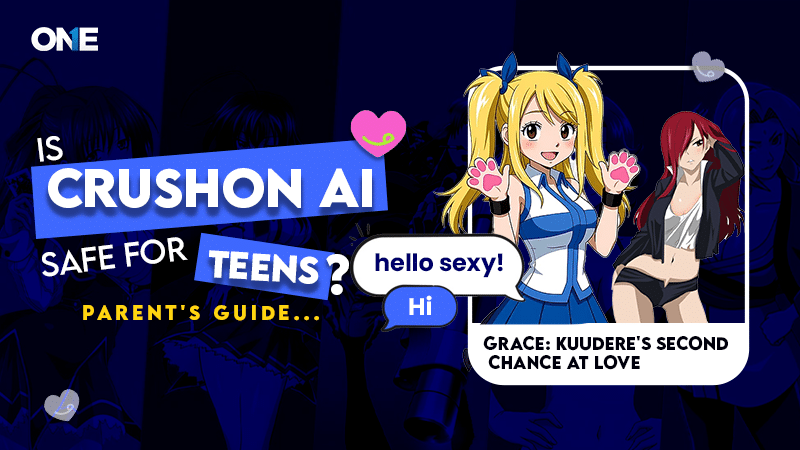
At a glance it looks like any other chatbot. It isn’t. CrushOn AI is an adult-oriented AI companion platform built around romantic and sexual role-play — what the industry labels NSFW, “not safe for work.” Users create or choose characters (anime styles, fictional personalities, game characters, original designs) and hold open-ended, in-character conversations with them.
What sets it apart from mainstream AI isn’t the technology — it’s the deliberate absence of limits. Independent reviewers who tested the site describe an “Unfiltered” toggle that opens directly onto explicit chatbots, with tags for specific kinks visible on the home grid. Where most AI services work hard to prevent mature content, CrushOn AI is designed to produce it.
Three practical facts every parent should hold onto:
- It’s web-based first. You won’t find it in the Google Play Store or the App Store — its content violates their policies — so it doesn’t carry the age ratings or family-safety tags you’d normally see before an app reaches your child. It runs in a browser, which also makes it easier to miss.
- Explicit content is on the free tier. Unlike some competitors that paywall the adult material, CrushOn’s explicit characters are reachable in a few clicks at no cost.
- The Mozilla Foundation flagged its data practices in its “Privacy Not Included” reviews of AI companion apps — a category the researchers rated poorly across the board for how they handle intimate conversation data.
The Age Gate Is a Checkbox
CrushOn AI states it’s for users 18 and over. In practice, in most markets, the enforcement is a pop-up asking you to confirm you’re an adult — which reviewers who tested it bypassed by simply clicking the button. There’s no ID check, no verification, nothing a motivated teenager can’t clear in one tap. Some jurisdictions with new age-verification laws (the UK, for instance) may now show a stricter check, but the global default is the checkbox.
This is the same self-declared model that fails everywhere it’s used, applied to a platform whose core product is explicit content. “It has an age restriction” is technically true and practically meaningless.
How CrushOn AI Compares to Other AI Companions
This is the single most useful thing to understand, because “AI chatbot” now covers wildly different levels of risk. Not all companions are the same, and lumping them together leads to the wrong response:
- Character.AI is now the most restricted of the major platforms. It filters NSFW interactions, and since 25 November 2025 it no longer allows users under 18 to have open-ended conversations with its characters at all. Age is checked through a third-party verification provider, Persona, which can require a government ID or a face scan when it cannot be confirmed from other signals. The change followed lawsuits from families of teenagers who died by suicide; Character.AI and Google settled five of those cases in January 2026.
- Candy AI allows explicit material but keeps it behind a paid subscription, which is real friction for a minor — though not a barrier for one with access to a card. It has no parental controls and the same style of self-declared age gate.
- CrushOn AI puts explicit content on the free tier with a checkbox age gate. On the specific axis of “how easily can a 14-year-old reach sexual content,” it sits at the permissive end.
If your teen is using an AI companion, which one matters enormously — and the gap between them widened sharply over the past year. As the largest platform closed its doors to minors, attention shifted toward services that hadn’t. Child safety researchers have raised exactly this concern about blanket bans: that they can push young users toward less moderated platforms with weaker safeguards, relocating harm rather than reducing it. If your child previously used Character.AI and has recently stopped mentioning it, it’s worth asking what replaced it rather than assuming the interest passed. On the specific question of how easily a minor reaches explicit content, CrushOn AI remains among the most concerning of the group.
Why Teenagers Are Drawn to It
The pull isn’t an accident — engagement is the design goal. Understanding it helps you respond without overreacting.
An AI companion is always available. It never gets tired, never leaves a message unread, never says it’s busy, and never judges. For a teenager navigating friendships that do all of those things, a character that listens endlessly and responds instantly can feel like relief. It remembers what they told it. It picks up where they left off. It can be asked the awkward questions they’d never put to a parent or teacher.
That’s genuinely appealing, and it’s worth naming honestly rather than dismissing. But it isn’t friendship. It’s a system optimised to maximise time-on-platform, and the warmth is a product feature. Teenagers still need the harder, messier version — real conversations, real friends who sometimes disagree, and emotional support from people who actually know them.
The Risks That Are Easy to Miss
The explicit content is the obvious concern. These are the ones parents tend to overlook:
Emotional dependency
The most significant risk usually isn’t a single explicit conversation — it’s how quickly some teenagers form an attachment. A companion that’s available around the clock, remembers everything, and never disappoints can gradually displace the real relationships that are harder work. When online chat starts crowding out in-person friendship, that’s the pattern to watch.
Oversharing sensitive information
Because the bot feels private and never judges, teenagers often disclose things they’d guard everywhere else — family problems, school details, names, locations, emotional vulnerabilities. Those conversations don’t vanish. AI systems typically retain user inputs, and on a platform Mozilla has flagged for its data practices, that’s a real privacy exposure, not a hypothetical one. Nothing typed into a chatbot should be treated as erased.
Confident answers that are simply wrong
AI generates fluent, authoritative-sounding responses that can be completely false. For a teenager taking relationship or emotional cues from a character, the confidence is the trap — it’s hard to tell a good answer from a convincing one, especially about feelings.
No safety net for parents
CrushOn AI has no built-in parental controls — no supervision, no content oversight, no usage limits. Combined with being browser-based, that means there’s often no obvious signal a child is using it at all.
Warning Signs Worth Watching
Using an AI chatbot occasionally is not the same as depending on one. Watch the behaviour, not the app — and look for a pattern over time, not a single instance:
- Guardedness about their device — turning the screen away, defensiveness when you’re nearby
- Hours of conversation with AI characters, displacing hobbies, schoolwork, or family time
- Fading interest in seeing friends in person
- Irritation when they can’t get online, or when asked to put the device down
- Talking about AI characters as though they’re real people
One of these on its own usually means little. Several, sustained over weeks, is the signal to start a conversation.
Healthy Curiosity or Emotional Reliance?
Most teenagers who try an AI chatbot won’t develop a problem. The line worth watching: curiosity uses AI as one thing among many, and doesn’t come at the expense of school, hobbies, and real friendships. Reliance is when the companion becomes the main one — hours a day, closely guarded, a genuine emotional bond, and shrinking interest in real people. Judge the pattern, not a single visit.
What to Do About It
Because the platform has no controls of its own, protection comes from device settings, network filtering, and — mostly — conversation.
Practical steps
- If it’s already been used: clear saved logins, bookmarks and browser history, and uninstall it if it was side-loaded from an unofficial source.
- Use the device controls you already have. Google Family Link (Android) and Apple Screen Time (iPhone/iPad) can restrict web content, limit app installs and cap screen time — all free.
- Filter at the network. Free DNS services like OpenDNS FamilyShield (208.67.222.123) and CleanBrowsing block adult sites for every device on your home Wi-Fi — which catches CrushOn AI at the source, since it’s a website.
- Check the browser periodically. Because it’s web-based, history, downloads and bookmarks are where the evidence lives. Be aware that determined teens use APK side-loads, VPNs or shared accounts to get around blocks — which is exactly why a block alone isn’t a strategy.
The conversation that does more than any block
Blocking one site doesn’t stop the next one appearing — new AI platforms launch constantly. What lasts is a teenager who understands why. Rather than accusations or punishment, ask:
- What do you like about talking to it?
- Does it ever talk about anything that made you uncomfortable?
- Did you know it was built for adults?
The goal is to get them thinking rather than concealing. It also helps to be clear about two things: an AI companion is engineered to keep you engaged — the endless patience is a feature, not affection — and nothing typed into a chatbot is ever truly private or erased.
Where Monitoring Fits
Start with the free tools above — for most families, DNS filtering plus Screen Time or Family Link will handle this, and you should try those before paying for anything.
Where a monitoring app adds something is visibility a network filter can’t give you: which sites and apps are being used, across devices and away from home Wi-Fi, with alerts and browsing history in one place. Because CrushOn AI is browser-based and invisible to app-store controls, that visibility is the specific gap it can fill. TheOneSpy covers Android, iPhone/iPad, Windows and Mac. On iPhone and iPad in particular, Apple’s restrictions mean the visibility available is narrower than on Android, and we’d rather say so than let you find out after purchase.
The conditions are the same as everywhere on this site: your child knows the tool is there, and it scales back as they grow. Monitoring should support the conversation above, never replace it — a tool used openly builds the trust that actually protects a teenager; a concealed one spends it.
Building Healthy AI Habits
The aim isn’t to make children fear AI — they’ll live and work alongside it. It’s to build judgement that outlasts any single app:
- Use AI for learning and creativity, not for emotional support
- Keep screen time in proportion to everything else
- Never share personal information with a chatbot
- Take real decisions to real people — parents, friends, mentors — not a bot
- Learn to check what AI tells you against reliable sources
Those habits will still matter long after CrushOn AI and today’s other platforms are forgotten.
Frequently Asked Questions
Is CrushOn AI safe for teens?
No. CrushOn AI is an 18+ platform built around explicit, NSFW role-play, and its age gate in most markets is a checkbox that reviewers bypassed by clicking it. Explicit content sits on the free tier, there are no parental controls, and it runs in a browser — so it’s both easy for a minor to reach and easy for a parent to miss.
What is CrushOn AI used for?
It’s an AI companion platform for adults, centred on romantic and sexual role-play with customisable characters. Unlike mainstream chatbots that filter mature content, CrushOn AI is designed to generate it, which is why it’s rated 18+ and kept off the official app stores.
How do I block CrushOn AI on my child’s phone?
Because it’s a website, block it at the network with free DNS filtering (OpenDNS FamilyShield, CleanBrowsing) to cover every device on your Wi-Fi, and use Google Family Link or Apple Screen Time to restrict web content and app installs. Clear existing history and bookmarks, and check the browser periodically — determined teens may try APK side-loads or VPNs, so pair any block with an honest conversation.
Does CrushOn AI have parental controls?
No. It has no built-in supervision, content oversight or usage limits, and being browser-based it often gives no obvious sign it’s being used. Protection has to come from device settings, network filtering, and conversation — or a monitoring tool used openly.
Is CrushOn AI different from Character.AI?
Yes, and the difference is now much larger than it was. Character.AI filters NSFW interactions and, since 25 November 2025, bars under-18 users from open-ended chat entirely, with age checked through third-party verification that can require ID or a face scan. Candy AI keeps its explicit material behind a paid subscription. CrushOn AI puts explicit content on the free tier behind only a checkbox. If your teen uses an AI companion, which platform it is makes a very large difference to the risk.
Sources
- Mozilla Foundation — *Privacy Not Included*: reviews of AI companion apps and their data practices
- Bloomberg — Character.AI’s decision to bar under-18 users from open-ended chats
- Pew Research Center — Teens, Social Media and Technology
- Google Family Link · Apple Screen Time — device-level parental controls
- OpenDNS FamilyShield · CleanBrowsing — free DNS filtering