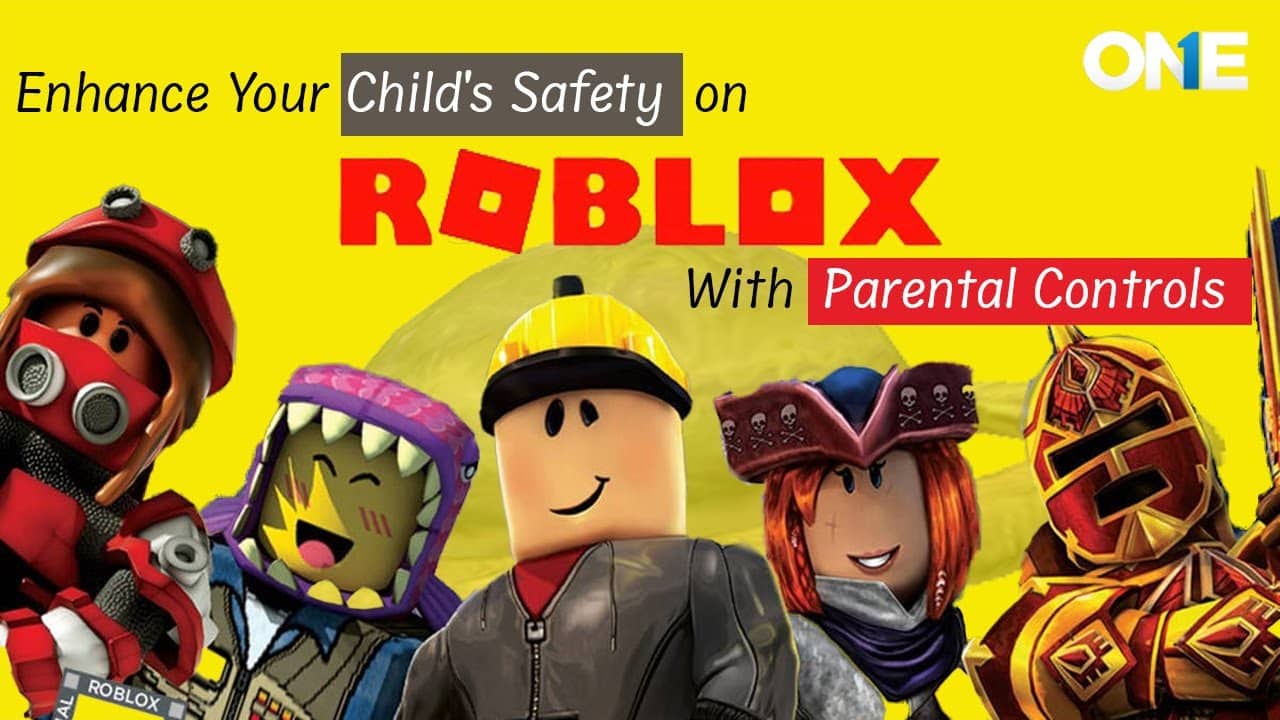
Roblox is one of the biggest online gaming networks with millions of players worldwide, which makes this platform quite entertaining to engage in playing various games in a world full of possibilities and challenges. The increased popularity of the game has raised some concerns among parents about the safety of their kids on Roblox.
Indeed, there are some arguments supporting the claim that Roblox is not only an entertaining website but also provides educational opportunities. On the other hand, some features implemented in the game raise the question of safety for children. For example, chat systems used for communication between players and for the creation, upload, and modification of game content might become rather problematic.
Here you will learn how to keep your kids safe on the Roblox platform, and about recent developments to further enhance the safety. In particular, you will find out about advancements made in the area of parental control and existing security measures on Roblox.
What Is Roblox?
Roblox is a virtual gaming platform that enables users to play a wide range of games by creating avatars to customize their experience. This online site integrates self-developed gaming experiences with social media and commerce. This game, officially called Experience, places users into various genres.
Users can tag players as adventure, hobby, fighting, simulator, and tycoon. This platform enables users to create games for smartphones, laptops, and PCs, providing a great experience.
One of Roblox’s most attractive features is the freedom to create designs according to users’ imaginations. Other platforms do not allow this level of creativity, which makes it a favorite among young users.
Again, self-developed experiences contain inappropriate content, such as explicit images, violence, and offensive language. But these few are not only dangers.
Launch Date & Purpose
The Roblox platform was launched on September 1, 2006, by David Baszucki and Erik Cassel. Unlike standalone games, Roblox allows users to create and play games made by others on the platform. It is a metaverse of games that can be played across almost any device with an internet connection.
Why Was It Created?
The Roblox platform was created to empower users to create and share their own games. Users can create games and learn the basics of programming while having fun playing games created by other users of the platform.
History Of Global Restrictions And Bans On Roblox
Despite the efforts of Roblox to ensure the safety of users and the introduction of moderation tools to ensure a safer environment within the platform. Several nations have placed restrictions or banned the use of the Roblox platform within their nations over the past few years. These restrictions have been based on the various concerns that nations have over the safety of children and the exposure of minors to inappropriate content within the Roblox community.
Countries That Prohibit And Block Roblox Access: Authentic Reason!
The restrictions imposed by several nations are not always total bans; in some cases, the use of the Roblox platform has been restricted through internet service providers while the authorities analyze the content policies of the platform and the safety of the users of the Roblox community.
| Country | Years | Reason |
|---|---|---|
| Egypt | 2026 | Block from the child safety authority. Law to regulate insufficient and unsafe interaction with minors. |
| Turkey | 2024 | Blocked due to the risks of kids being exposed to explicit or unsuitable content. |
| Russia | 2025 | Due to limited access to Radical content and non-compliance with national content laws. |
| Iraq | 2025 | Blocked due to child safety crises and content that disobeys cultural norms. |
| Algeria | 2025 | Restricted due to the potential for harassment and a lack of user moderation. |
| China | Ongoing | Due to limited access to Radical content and non-compliance with national content laws. |
| Oman | Early years | Temporarily restricted due to complaints about harmful content |
| North Korea | Ongoing | Blocked due to strict internet censorship by the state. |
| Jorden | Varies | Limited access due to child-safety and content-regulation concerns. |
These global restrictions proved that the kids’ safety is not just parents’ responsibility, but an international concern. Countries that openly access the Gaming platform should responsibly handle the user profiles, chats, and individuals’ safety (especially younger users). Even an authentic platform faces challenges when they ignore the state laws.
It’s a reminder for the parents not to overshadow the kids’ privacy, as the online platform poses risks. It is essential to keep a close eye on the kids’ platforms, supervise their online activities, and teach them about the local laws. Thus, they manage their social lives effectively.
The latest Roblox Safety Feature in 2026
Roblox introduced many innovations to make this platform more suitable for its youngest audience and to provide maximum safety for your child. These innovations show the commitment of the company to the development of its product as well as to children’s safety.
Some of the most important improvements for safety on Roblox include:
- Content Filtering by Age: Age-based recommendations are provided to prevent inappropriate content from appearing to the user.
- Enhance parental control: maximize the safety feature range for the kids’ protection, regulate communication methods, and control in-game purchases.
- Conversation limit: can set a limit to avoid the chat’s overlay to protect them from online threats.
- Improvement of Reporting System: Improved moderation process by having additional tools for monitoring and blocking the appearance of inappropriate content.
These are some important advances made by Roblox; however, some issues still require parents’ attention. The importance of constant supervision remains important under those circumstances.
Some Common Risks of Playing Roblox
Roblox is often seen as a safe venue for children to play games online. However, without proper restrictions, the online game may not be a secure environment for children to play.
If children do not receive adequate supervision from their parents or guardians while playing Roblox, they may encounter inappropriate content or communicate with people they do not know online. How safe Roblox is for children will depend on how the child uses the site and how much supervision their parent or guardian gives them while they are using the website.
Certain dangers can occur when kids play Roblox. Parents should know the list of threats that might occur to the children when playing this video game:
- Parents should supervise their children’s use of the chat feature on Roblox to avoid potential harassment from other players.
- There are risks associated with encountering inappropriate material on the website, such as nudity and sexual content.
- Children may face some cyberbullying while using this game, just like they can face it while surfing the Internet in general.
- Kids can get the in-app features or purchase them due to the availability of Roblox’s own currency, called Robux.
- Online predators: Roblox includes a feature that allows users to communicate via text and voice messages. This can increase the likelihood of engaging with strangers and luring them into other private chat rooms.
- Account hackers: Few people can access your account, steal your information, and sell it on the market.
- Online scammers: This game offers a valuable way to earn real money to purchase in-game items. However, there are reports of fraud attempts targeting children to steal currency.
- Adult content: With the freedom to create your games. This increases the likelihood of involvement in a notorious game. This is” not only, but they also use naked characters, which is a point of concern for parents.
- Cyberbullying and harassment: Virtual games cause online harassment and bullying. More than 90% of kids face emotional abuse or other forms of bullying while playing Roblox or other online games.
- Malware and viruses: Some websites claim to offer free Roblox. However, after downloading, the software may contain malware or viruses, or may share personal information.
- Gaming addiction: Due to the attractive features, online gaming grabs teens and young people, and they play for several hours and become addicted. However, excessive gaming can pose serious risks and harm children’s digital well-being.
- Violence via virtual games: Roblox can create violence through its gaming template, such as creating an avatar, playing with others, and attacking to kill via weapons, including knives and guns.
- Risk of Sleep Deprivation and Obesity: Again, night gaming puts one in a compromising position of getting deprived of sleep, hence affecting concentration through tiredness, and over time, leading to obesity. Prohibit the use of devices one hour before bed to ensure the child’s mind is conditioned for sleep.
Child Protection On Roblox: Core Facts
In 2026, Roblox will still be a top category in the gaming field, with nearly 140 to 150 million active users around the world. With huge user ranges, mostly the children or teens spend substantial time on these platforms, which raises safety concerns. Given its large audience, primarily children and adolescents, Roblox is under pressure to enhance safety protections to improve the user experience.
In response to the stakeholder demands, Roblox launches the most advanced feature to ensure safety. One of the most prominent features is the fact that the company has introduced age verification for all Roblox users who want to access the chat features of the platform. This means that the company no longer relies on user-submitted age information. Instead, the company employs facial age estimation to verify the user’s identity.
Upon completing the age verification, individuals are categorized into age brackets. Different age specification
Under 9 years
- 9-12 years
- 13-15 years
- 16-17 years or adults.
The underage user is prompted to initiate conversations with peers of similar or equal age. However, for children under the age of 9 years old, chatting is disabled by default.
This means parents must enable this feature manually. This gives parents greater control over how their children communicate. With these age-wise classifications, recent stats showed that 45% of the active users go through the verification process. Moreover, approximately 35% of the users are under 13 years old, while 38% are between 13 and 17 years old.
Despite that, 27% of the teens reported as adults. It indicates that Robloxis is now shifting the age-specific data to verified data that helps to establish the rules with proper accuracy. Instead of just focusing on the filter and modifications, Roblox prioritizes safety through an age verification process. However, the debate over professionalism centers on whether this is sufficient to ensure safety. It may not be the case, but it shifts the responsibility to Roblox to provide a slightly safer environment for adolescents and children.
AI- Driven Tools: Major Advancement Of Roblox
Roblox is improving day by day by adopting the latest technologies to enhance user experience. One of the most recent advancements is AI-driven moderation. The new Roblox AI-designed features allow users to create models and game elements with natural language prompts. 4D AI engines help to create games more easily, even for beginners. This new advancement promotes creativity, but sincere supervision is key to supporting safety.
Roblox uses AI approaches to regulate safer interactions. It detects the hazardous and unfit source before it reaches the user. Working with the human moderator saved the younger users from cyber threats and inappropriate graphics.
Potential Risks To Keep Eyes On:
Although there has been a lot of improvement in Roblox, the risks are still present, especially for the youth and kids.
Insufficient Protection: The age-verification process does not ensure proper functionality. The AI’s estimated age may not be accurate. Some people may also circumvent the set age limits, especially if the parental controls option is not enabled.
Social Risks: Some people may attempt to exploit others, especially children, by sending them inappropriate content through personal chats or messages, which can be done outside the Roblox environment.
Privacy Considerations: There is also the aspect of privacy, especially considering that the age verification process involves the use of facial scans. Parents should understand the Roblox policies as they keep sensitive information.
Frustrate user experience: Restrictive options can dishearten users, especially when they play multiple games and encounter chat restrictions. Affecting overall gaming experiences.
Should Roblox be a good choice? Analyze Pros and Cons
Before switching to the Roblox app, decide on your safety check line and review the benefits and drawbacks to establish strong safety tips. Here are the reasons to choose and not choose for your kids.
Pros
- Stimulates creativity
- promotes learning programming
- enables social contacts
- provides various sources of entertainment (various games)
Cons:
- Potential to come into contact with strangers
- encountering inappropriate material
- facing cyberbullying
- risks of financial abuse in in-game acquisitions.
After considering the advantages and disadvantages, parents easily decide to let kids use the platforms while maintaining integrity.
How to Keep Your Kids Safe on Roblox? A Parent’s Guide
Roblox has a block inappropriate content feature that helps to keep your child safe. However, many aspects can be riskier and more harmful, such as hating and access to adult content, by creating one’s own designs. Parents should be vigilant and choose appropriate options to protect children from virtual gaming sites.
As we discussed earlier, the importance of parental involvement is key in the kids’ lives to protect their safety. Furthermore, parents can take a few steps to improve the overall kids’ Roblox experience, helping ensure they are on the safer side.
Recommended Tips:
- Turn on parental controls: adjust the settings to allow only specific people to communicate with your kid.
- Restricting the conversation: the child cannot send or receive messages from a stranger’s chat window.
- Monitoring video games: Find out what video games and who children are talking to while playing the game;
- Educating kids: Parents must inform their kids that they should not reveal their personal data while using this platform.
- Limiting time on screen: Agree on time limits for video game play to avoid excessive computer time.
Parental Monitoring Software, such as TheOneSpy, allows parents to monitor the activities of their children on the Roblox website remotely, without interfering in their lives too much.
1. Use TheOneSpy as parental control to monitor the gaming platform
TheOneSpy monitoring app is your ally. When your child exceeds the limit, the application limits their usage so they can do other tasks, such as homework, sports, or spending time with friends.
- Install it on your child’s device: Subscribe to TheOneSpy app to monitor their online activities and help prevent them from encountering Roblox-related risks.
- Activity Monitoring: With TheOneSpy, you can track your child’s entire activity on Roblox, including his messages, friends, gameplay, and purchases made. It sends notifications for any message or friend request, allowing parents to review the identities of the people they are contacting. It also provides a location tracker that helps you determine the routes they are using. You can also set up a virtual fence to receive notifications when they enter or cross the fenced area.
- Content Filtering: TheOneSpy uses specific keywords and phrases to block the most obscene and dangerous content on Roblox to protect your child’s safety. This advanced app employs the technique of real-time content analysis.
- Screen Recording: TheOneSpy enables users to record live Roblox screens remotely. Parents can check what kids are doing, which type of interaction they enjoyed, and the gaming context they preferred. Moreover, this is all done secretly while keeping you updated.
- Instant Alerts and actions: TheOneSpy generates instant alerts about suspicious and harmful conversations. They catch the threats before things go out of hand. Additionally, save the records to the linked dashboard, so parents can see and review them at any time to make better decisions. Moreover, you can remotely block, restrict, or manage the account as needed.
2. Parent PIN setting for Roblox
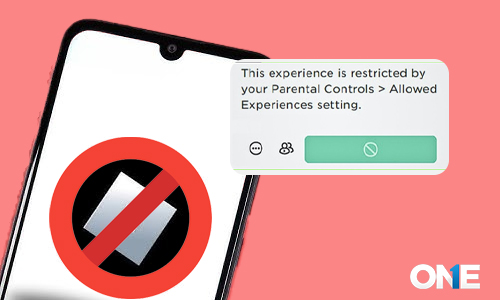
Control your kid’s access to a Roblox account. Create a 4-digit PIN to lock their accounts. Additional privacy settings can secure your account with email and password.
Set Up PIN
- Log in to your account if you have forgotten your password. Then, retrieve your Roblox password using the recovery guide.
- Settings option: Navigate to Settings and select the gear icon in the top-right corner of the page. While using the mobile app, the settings menu displays a three-dot icon.
- PIN Setting: In Settings, select Parental Control, and enable it to create a four-digit PIN.
3. Don’t Allow Children to Play Games Alone
Never set your child’s gaming set in a private room. Always allow them to play while sitting with you, as you can easily listen to their voice messages.
- Limit on headphone usage: If you are concerned about Roblox voice messages, don’t allow your child to use headphones while playing this game to prevent them from having vulgar and inappropriate conversations.
4. To See Your Kid’s Activities on Roblox, Play Together
One of the simplest ways to monitor your child’s activities on Roblox is to play with them, as you can see what they are doing, and to avoid playing games alone to prevent danger.
What steps to
- Create your account: As a new player/user? You must create the same account to connect with your child’s account.
- Monitor your child’s Roblox: By sharing the account and interests, you’ll be better connected. With this, you can see what they did on Roblox and promote a positive gaming site.
- Use parental controls: The best way to use the theosophy parental control monitoring app is to remotely monitor your children’s activities while they play games. This helps review their activities and assess their digital behavior to protect them.
5. Check Your Child’s Roblox Activities
In response to parental concerns, Roblox added a chat filter feature that prevents children aged 12 or younger from accessing inappropriate or adult content on the platform. At the same time, more than 12 children can access all types of content, including words and phrases, while chatting on Roblox. Therefore, parents must monitor and balance their activities.
- Check Game history: Log in to the Roblox account. Monitor children’s activities, including chats, purchases, self-play, and avatar creation and follower acquisition.
- Block anyone: While reviewing their account, if you find anyone suspicious or someone bullying your child, block them. You can block it by following the instructions on the Roblox website.
6. Closely Monitor the Roblox Voice Chat Feature
Suppose you are worried about the kids spending the whole day on Roblox. TheOneSpy is the true savior in 2026 for managing screen time. You can create restrictive plans, and when the limit is exceeded, the screens automatically turn off so kids can focus on other tasks, complete their homework, or play outdoor games with friends. It keeps them engaged and their mind busy in the offline world. To keep children safe on Roblox, we must monitor voice chat while they play. Using this feature during the game, children may use vulgar language or bully others, which could lead to trouble in the future.
Monitor voice conversation
- View settings: By setting up your child’s Roblox account, you can control who can message your child and whom your kids can communicate with.
7. Use the TheOneSpy App to Listen to Roblox Voice Notes Remotely
You can use TheOneSpy without touching your child’s device, listen to all their sent or received voice messages, and detect issues earlier.
8. Enable Allowed Experiences
The allowed experience in Roblox helps to control and block content from kids’ access. Using these settings, you can restrict specific applications, games, channels, and movies deemed inappropriate for children.
Settings of allowed experiences
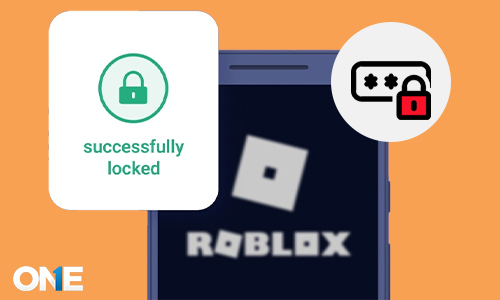
- Settings in Roblox: Login to your Roblox account from settings by entering a digit PIN to change settings
- Enable allowed experiences: Select the parental control option, then click Allowed experiences. Now, you can gain experience by joining an account. After confirming your selection, a green message will appear indicating that it has been saved successfully.
9. Screen Time Limits for Gaming Apps
Balancing screen time supports your child’s healthy digital life. Gaming addiction causes several issues, including depression, loneliness, sleep disturbance, behavioral changes, and anxiety. It is essential to know when and how to turn off your child’s screens.
Setting for screen time in Roblox
- Uses the screen time feature: You can use TheOneSpy most amazing screen time feature. This lets you set time limits remotely for Roblox, so your child will never play during restricted hours.
- Encourage off-screen activities: You can reduce your child’s excessive use of gaming apps by encouraging physical activity. You can encourage them to play on the ground and sit with their family so they can spend less time on gaming sites.
- Establish family rules: They are essential to support your child’s healthy, balanced life. Restrict their time; if they use it during the restricted period, do not allow them to play again.
10. Educate Your Child About the Importance of Personal Information
Around 1.3 million kids face identity theft every year. It means Roblox can be a platform where predators and fraudsters can steal your child’s sensitive information. You must take proactive steps to prevent your child from falling victim to data theft.
Protect your child’s personal information.
Ensure privacy settings: Before granting access to your child, as parents, you must verify that their privacy settings are appropriate.
Choose only friends’ settings: This setting restricts any strangers from contacting you and controls request messages. You can block all contacts by selecting the” NO oe option.
Connect your child’s Roblox account to your email: This step lets you monitor all their Roblox activity by receiving emails about their messages, purchases, content creation, and password changes.
11. Teach Your Child How to Report Inappropriate/Explicit Messages
As we discussed above, Roblox has a chat feature that allows users to share text or voice messages. It increases the chances of sharing messages, including vulgar ones. Thus, parents should teach them how to respond if they receive inappropriate messages while playing.
Learn how to report abuse.
Block inappropriate settings: Click the three dots next to the game title to block inappropriate content. Then, you’ll report any player who uses abusive language through their gaming tags in the active user list.
Make children comfortable talking openly: Create a friendly environment that encourages your child to communicate openly if anyone uses inappropriate language during the game.
12. Teach Your Child if They Face Age-Inappropriate Content
You must guide your child if they encounter adult content while playing Roblox because kids’ safety is the priority. So, guide them on how to get rid of uncomfortable situations on Roblox.
- How do you lead kids to protect them from adult content Tell them to play games in the living room, and kids should play games in the common room shared by all family members. With this, parents can monitor their kids while playing games.
- Don’t quit if anyone misbehaves: Some online predators threaten kids to quit and not tell anyone about their conversations. But clear your kid’s mind, and don’t keep quiet in uncomfortable situations.
13. Strong Password Setting with 2FA
Using this privacy setting helps to protect your child’s account from online theft and hackers. You can create a unique and strong password by adding two-factor authentication to protect your child’s account from digital cameras and data theft.
Setting for adding 2FA in Roblox
- Change password: First, log in to your Roblox account, go to settings, choose account info, and then change the password.
- Create a unique password: After logging into the account, create a different password, including upper- and lowercase symbols, letters, and characters.
- Enable 2FA password: Enabling 2FA settings depends on you; you can use a different security key or email address. Then, you can set 2FA on your Roblox account.
14. Secure the Device with Antivirus Apps & a VPN
Most users had installed Roblox from a corrupted browser extension. Hackers created ways to steal Roblox users’ information. Thus, it’s necessary to protect devices from hackers.
How to use an antivirus app and a VPN
- Install an antivirus device: You have to install an authentic antivirus app on your device to prevent viruses and malware.
- Use regular scans: May your device face suspicious links through email, messages, and social media status. It can be clear if you scan your device once a month or a week.
- Use VPN on all devices: When your child plays Roblox or talks to strangers, they have VPN secrets, IP addresses, and locations from your kid’s device. This may help protect your children from Roblox games.
Conclusion:
Roblox can be dangerous for your kids. Take proactive steps and use a parental control monitoring app to help you track and secure your kids from digital dangers. After installing the TheOneSpy app, you can review your kid’s activities on Roblox without taking their device into your hand. Using this software will be a good start for kids’ protection on Roblox.