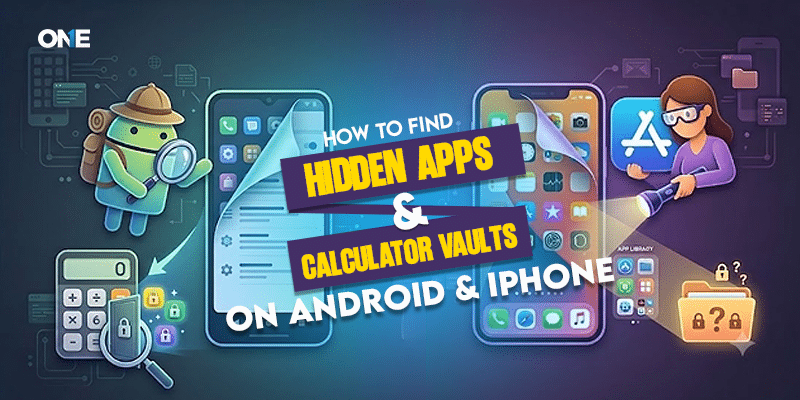
In today’s digital landscape, a quick glance at your teenager’s smartphone home screen rarely tells the complete story. As adolescents seek digital privacy from parents and peers, a sophisticated ecosystem of ‘vault apps’ and disguised applications has exploded in popularity. These applications are engineered specifically to look like mundane utility tools—such as basic calculators, clock widgets, or audio managers—while concealing secret galleries, private messaging platforms, and hidden web browsers behind passcode-protected vaults.
While desiring personal privacy is a normal milestone of adolescent development, secret vault apps frequently become safe havens for high-risk behaviors—including cyberbullying, exposure to explicit media, or secret communication with unvetted strangers. Understanding how these tools operate and learning how to uncover them is vital for maintaining digital safety within your family.
1. What Are Calculator Vaults and Disguised App Lockers?
Calculator vaults (often titled ‘Calculator#’, ‘Secret Calculator’, or ‘Vault-Hide’) are dual-purpose applications. When opened, they display a fully functioning basic calculator. However, when the user enters a specific multi-digit passcode followed by the equals sign (‘=’), the application unlocks a secret, encrypted secondary storage container.
Inside this hidden container, users can store:
- Secret Media Libraries: Photos and videos hidden from the main device gallery.
- Private Messaging Directories: Encrypted chat logs, contact books, and hidden social accounts.
- Incognito Browsers: Specialized web browsers that do not record history or cookies to the main system.
- Cloned Applications: Secondary copies of apps like WhatsApp or Snapchat operating under secondary phone numbers or aliases.
2. Manual Step-by-Step Methods to Detect Hidden Apps on Android
If you suspect your child is utilizing disguised storage applications on an Android phone, you can perform several manual diagnostic checks:
Method A: Inspect the Android Application Drawer Filter
Open the App Drawer, tap the three dots (Menu) in the upper right corner, and select ‘Hide Apps’ or ‘Filtered Apps.’ Check if any applications have been manually hidden from the default grid layout.
Method B: Audit System Storage Usage in Settings
Disguised apps cannot hide their battery and storage consumption from the core Android Operating System. Navigate to Settings > Storage > Apps. Look for utility applications (like calculators or notepad apps) consuming unusually large amounts of storage space (e.g., several gigabytes), which indicates hidden video or image files stored inside.
Method C: Review Play Store Order & Download History
Open Google Play Store, tap the profile icon, and go to Manage Apps & Device > Manage > Not Installed / Installed. Review the historical installation list for apps containing words like ‘Vault,’ ‘Hide,’ ‘Private,’ or ‘Calculator Safe.’
3. Manual Step-by-Step Methods to Detect Hidden Apps on iPhone (iOS)
Apple’s iOS environment restricts deep app customization, but teenagers utilize App Library features and screen hide functions to obscure installed apps:
Method A: Search the iOS App Library & Spotlight Search
Swipe left past all home screen pages to access the App Library. Type terms like ‘Vault,’ ‘Calculator,’ or ‘Hide’ directly into the top search bar. Spotlight search index often uncovers apps removed from home screen pages.
Method B: Audit Battery & Screen Time Data
Navigate to Settings > Battery. Review battery usage by app over the past 7 to 10 days. If a simple calculator app accounts for 15% to 20% of total daily battery usage, it is actively being used for media viewing or private chat sessions.
Method C: Check App Store Purchase History
Open the App Store, select the Account Profile icon, and tap Purchased. Review all historical downloads—even those that have been uninstalled or hidden from the home page.
4. The Limitations of Manual Checks: Why Smart Teens Bypass Them
While manual audits are helpful, tech-savvy teenagers frequently adapt to circumvent manual detection. They utilize APK web downloads outside official app stores, rename system files, or rapidly uninstall vault apps before handing their device over for parental inspection—reinstalling them later via cloud back-ups.
Relying solely on periodic physical inspections often creates an exhausting game of cat-and-mouse that erodes family trust without delivering real security.
5. Automated Protection with TheOneSpy Application Monitoring
To eliminate guesswork and gain absolute visibility into your teenager’s device activity, modern parents turn to automated solutions like TheOneSpy. Rather than relying on surface home screen checks, TheOneSpy operates at the system level to flag hidden and disguised software automatically.
Key features of TheOneSpy App Management include:
- Comprehensive Installed App Log: Instantly view a complete, unedited list of all installed applications—including disguised vault apps, background system packages, and hidden APK installations.
- Instant App Installation Alerts: Receive immediate real-time notifications whenever a new application is installed on your child’s phone, allowing you to address vault apps immediately.
- Remote Application Blocker: Remotely block or disable access to suspicious vault apps, hidden chat rooms, or unapproved web browsers with a single click from your online portal.
- Visual Vault Content Capture: TheOneSpy’s automated screen recorder captures visual snapshots whenever a hidden directory or calculator vault is launched, displaying the exact contents stored within.
By implementing automated monitoring alongside a comprehensive parental control software framework, parents can establish reliable oversight without needing to physically confiscate devices.
6. Constructive Parent-Child Conversations About Secret Vaults
Discovering a hidden vault app on your teenager’s phone requires a calm, empathetic response rather than immediate punitive action:
- Focus on Curiosity Over Anger: Initiate the discussion by asking why they felt the need for secret storage. Distinguish between innocent desires for peer privacy and dangerous secrecy involving external threats.
- Re-Establish Family Guidelines: Clearly articulate your safety expectations regarding online grooming, explicit photo sharing, and cyberbullying. Reiterate that device checks are conducted to keep them safe, not to control them.
Frequently Asked Questions (FAQs)
Can a calculator vault app hide files from computer USB file transfers?
Yes. Calculator vaults encrypt stored files or move them into restricted system sandbox directories that standard USB file explorers cannot read without administrative root or specialized monitoring tools like TheOneSpy.
Are all vault apps free to download?
Many vault apps offer free basic storage versions but prompt users for micro-subscriptions to unlock disguised icons or cloud synchronization features. Reviewing digital store payment histories is a helpful secondary detection step.
| RECOMMENDED ACTION STEP Take control of your teenager’s digital safety today. Visit www.theonespy.com to explore live app monitoring demos and protect your child from hidden digital threats. |