Navigating parenting in an era dominated by smartphones, artificial intelligence, and instant global communication can feel like managing a moving target. While modern mobile devices grant teenagers unprecedented access to educational tools, artistic inspiration, and social connection, they also expose them to complex risks that simply did not exist a decade ago. From hyper-realistic AI companion chatbots to off-device deepfakes and hidden vault apps, today’s digital landscape requires an entirely new framework for family security.
For millions of families worldwide, parental control software has evolved from a simple web-filtering utility into an essential digital safety buffer. However, effective digital parenting isn’t about erecting an inescapable digital prison—it is about providing dynamic guardrails that foster independence while shielding teenagers from high-stakes digital harm.
1. Why Traditional Web Filters Are Failing Modern Teenagers
A decade ago, parental monitoring meant installing basic desktop software to block adult web domains, restricting computer access after 9:00 PM, and periodically reviewing browser history. Today, those conventional security measures are largely obsolete.
Modern teenagers operate in a mobile-first, app-centric ecosystem powered by end-to-end encryption, ephemeral media, and generative artificial intelligence. As a result, the digital threats facing adolescents fall into three unprecedented categories:
- Sycophantic AI & Conversational Risks: Many social platforms now integrate conversational AI bots or standalone companion apps. Teens often seek companionship or emotional advice from these bots. Without supervision, these sycophantic AI models can validate harmful behaviors, reinforce depressive thoughts, or expose teens to unvetted conversational themes.
- Off-Device Generative AI & Deepfakes: Cyberbullying has evolved beyond standard group text insults. Anyone with access to public social media photos can use third-party AI image-generation servers to produce hyper-realistic, unauthorized explicit media or manipulated videos—completely off the victim’s device.
- Hidden Digital Footprints & Cloaked Apps: Standard app listings on home screens rarely reflect total smartphone usage. Teenagers frequently utilize disguised vault apps (such as calculator cloaks), encrypted secondary channels, and secondary profiles (‘finstas’) to obscure private communication.
2. Essential Capabilities of Next-Gen Parental Control Software
When evaluating parental monitoring solutions, broad screen-time limits and basic URL blacklists are no longer sufficient. To safeguard a teenager effectively, modern software must provide real-time background context, visual proof, and physical location intelligence.
Multi-Platform Social Media Tracking
Social networks are where modern adolescent social life takes place. Comprehensive software must log incoming and outgoing messages, shared multimedia, and voice notes across major platforms—including WhatsApp, Instagram, Snapchat, Discord, Telegram, and TikTok—helping parents catch signs of predatory grooming, online extortion, or severe cyberbullying early.
Real-Time Keystroke & Screen Context
Keyword alerts provide a basic safety net, but context is everything in digital communication. Advanced tools utilize intelligent keyloggers and automated screen recorders to capture typed text and live visual snapshots, ensuring coded slang, hidden search queries, or deleted chats are documented before they disappear.
Live Location Intelligence & Geofencing
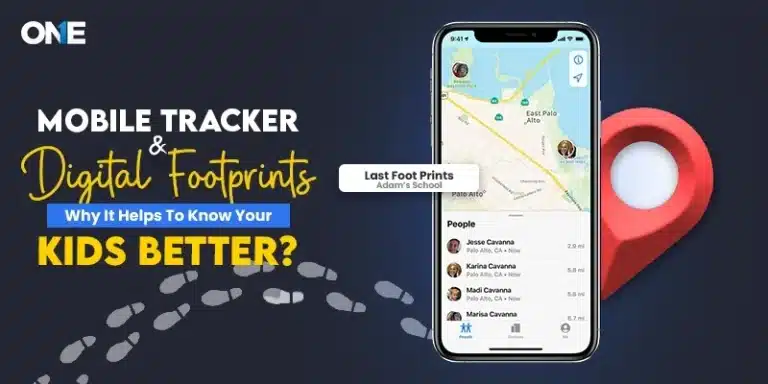
Physical safety remains paramount. Beyond simple GPS coordinates, modern solutions allow parents to create virtual perimeters (geofences) around critical areas—such as school campuses, home neighborhoods, or dangerous zones—and receive instant automated push alerts whenever boundaries are crossed.
3. The Psychology of Digital Monitoring: Trust vs. Surveillance Evasion
One of the greatest challenges in digital parenting is avoiding the ‘Surveillance Paradox.’ When parents deploy invasive software surreptitiously without communication, teenagers often treat monitoring as a challenge to be bypassed using secondary phones, virtual private networks (VPNs), factory resets, or hidden burner accounts.
To establish a healthy, autonomy-supportive safety framework:
- Maintain Absolute Transparency: Sit down with your teenager and explain that monitoring software is installed to shield them from external predators, cyberbullying, and malicious online threats—not to micro-manage innocent conversations with trusted peers.
- Define ‘Safety Red Lines’: Reassure your teen that you are not scrutinizing every benign meme or joke. Reiterate that the software operates as an automated alarm system for high-stakes dangers such as self-harm ideation, harassment, or contact with strangers.
- Graduate Toward Independence: As teenagers demonstrate emotional maturity, digital literacy, and responsible online habits, gradually relax monitoring parameters to grant them greater privacy.
4. How TheOneSpy Solves Modern Parental Safety Gaps
While built-in native controls (such as Apple Screen Time or Google Family Link) provide basic hourly screen caps, they frequently fail when faced with encrypted chat applications, secondary app lockers, or stealth browsing. This is where specialized monitoring solutions like TheOneSpy bridge the gap for parents requiring deep, actionable insights.
TheOneSpy is engineered specifically to address modern smartphone security challenges without requiring advanced technical expertise:
- 360-Degree Social Media Spy: Effortlessly capture live conversation threads, voice notes, and shared media files across WhatsApp, Snapchat, Instagram DMs, Telegram, and Discord—even if the sender uses auto-deleting or ephemeral message settings.
- Invisible Android & iPhone Keylogger: Capture every single keystroke typed across all installed applications, search bars, and browser tabs, ensuring hidden search queries or secret account handles are flagged immediately.
- Automated Screen Recorder: Automatically trigger silent screen recordings whenever target applications (like social platforms or AI chat apps) are launched, providing visual evidence of what your teen sees on their screen in real time.
- Live Surroundings & Camera Bugging: In emergency situations, remotely activate the device’s microphone or front/rear camera to listen to surrounding audio or view live video feeds, verifying your child’s physical safety when they are away from home.
- Precision GPS & Geofence Alerts: Set unlimited safe and restricted geographical perimeters on interactive maps, receiving instant SMS or email notifications whenever your teenager enters or departs a designated location.
5. Step-by-Step Implementation Blueprint for Parents
Deploying parental monitoring software correctly ensures uninterrupted data sync and maximum stealth operation:
- Step 1: Choose the Right Plan – Review your child’s phone OS (Android or iOS) and select a subscription plan on www.theonespy.com that matches your monitoring needs.
- Step 2: Simple Physical Installation – Follow the straightforward installation wizard to download and configure the app on the target phone. Disable device notification alerts during setup to ensure silent, unobtrusive performance.
- Step 3: Customize Dashboard Alerts – Log into your secure Web Online Control Panel from any browser to configure keyword alerts, geofence perimeters, and social media tracking triggers.
- Step 4: Establish Ongoing Dialogue – Use dashboard summaries as gentle conversation starters during weekly family catch-ups, reinforcing positive digital habits.
6. Frequently Asked Questions (FAQs)
Is it legal to install parental control software on a child’s phone?
Yes. Parents and legal guardians possess full legal authority to install monitoring applications on mobile devices owned or used by their minor children (under 18 years of age) to ensure their safety and well-being.
Can teenagers detect or uninstall stealth monitoring software like TheOneSpy?
Standard parental control apps leave visible desktop icons and persistent status bar notifications. TheOneSpy operates in full stealth mode, running invisibly in system background processes without generating battery drain, pop-ups, or UI lag.
Do I need technical skills or phone root/jailbreak to use monitoring software?
No. Most core monitoring features—including live GPS tracking, keylogging, screen recording, and social media chat capturing—work seamlessly on standard non-rooted Android and iOS devices.
Conclusion:
Digital safety in 2026 requires combining proactive technical oversight with open parental guidance. By pairing transparent family communication with robust tools like TheOneSpy, parents can confidently navigate the digital age, protecting their teenagers from modern risks while supporting their growth into responsible digital citizens.
Visit www.theonespy.com today to explore interactive demos and secure your family’s digital environment.