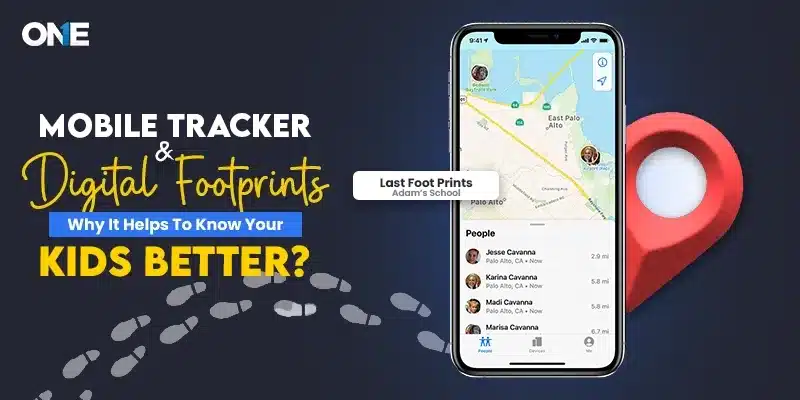
Every online activity undertaken by a child leaves behind some form of digital trace. Parents sometimes overlook these issues until a problem occurs. Understanding these daily activities early on will allow parents to assist children. Moreover, it helps to develop safer online practices without violating their privacy.
A child’s cellphone is not only a means of entertainment but also a record of their daily digital activity. It reflects their interests and themes, as well as their methods of engaging with others. Check behavior analsysis, the information they search for, the apps, and social communities. Also, the open public Wi-Fi sources are notably increasing, revealing how kids use technology.
Instead of focusing on their online actions, pay attention to their behavior patterns. Along with the benefits of having the monitoring solutions, your guidance is more vital. Mobile tracker helps to provide the extra safety for the parents to keep their kids safe and sound. With real support and clear direction, these tools protect kids from online threats.
Minor Actions That Build Stronger Kids’ Digital Traits
A positive digital footprint will help parents to stay involved in important questions. There is no need to worry that the technology will be the source of tension.
It works naturally for the kids, and they may
- Search for homework help
- Watch videos recommended by friends.
- They install a game because their classmates are playing it.
- They join a group chat.
- They connect to Wi-Fi in the schools, a cozy cafe, a center, or peers’ homes.
Every action adds a small piece to their phone routine.
Parents do not need to track every little detials. In fact, if you bother them too much in their private space, it creates tension for everyone. What matters is noticing meaningful changes.
For example, if your kids suddenly visited the unfamiliar websites. connecting to the unsecured Wi-Fi connections, installing the most-used and least-used apps. These are the signs that can cause problems. However, when there are multiple changes, it provides a good opportunity for parents to have a calm conversation and learn what is going on. A mobile tracker can help parents see these changes with more context.
The Difference Between Curiosity and Risk
Children are naturally curious, and the internet offers more options for exploration. Remember, small digital changes have a huge impact; this should be noted from the outset.
Every child wants to maintain a digital footprint. Knowing the impacts. Overall, they are more prone to follow the latest trends, new games, new music, new subjects at school, and topics they are ashamed to ask about. Therefore, the curiosity plays the important part in learning.
However, their curiosity leads them to visit the unauthorized websites, opening suspicious links. Plus, being involved in the dangerous actions and exposed to false information. In case the parents see something strange or suspicious when children visit the website, one should not panic.
One random search may not matter. Parents need to be aware of the various forms of online curiosity their child may express. Improper websites, mature content, clicking questionable links, or using public connections can pose online risks.
According to the UNICEF, parents need to understand that open communication and educating kids about the sensible use of the online space are necessary. Instead of reacting instantly, notice the behavioral shifts in your kids. A single visit to the harmful sites does not indicate anything is happening. Still, a slow behavior pattern does give us genuine results and rather than being isolating, go for the gentle communications.
Open Wi-Fi Connections Can Put Kids’ Lives at Risk
Most parents consider the problem of phone safety only through the lens of apps and social media. There are certain ways parents can protect their kids from internet-related dangers. The first way is to be aware of the method and location of connecting to Wi-Fi networks. Parents need to understand that accessing the public wifi at malls, cafes, and shopping centers poses risks.
Public Wi-Fi networks expose kids to malicious links or downloads that steal personal information. A parent can use a mobile tracking application with Wi-Fi detection to track their child’s use of unknown Wi-Fi connections. The Wi-Fi logging capability of TheOneSpy reveals how kids use the internet.
According to the FBI cyber alerts, attackers can mostly attack the public through open connections, manipulate kids through fake login profiles or phishing attacks, and anyone who connects there is more likely to have their devices accessed by attackers. Follow the cyberattack guidelines published by the FBI to gain clear guidance.
If a child constantly connects to unknown Wi-Fi networks, the parent should teach the child that using mobile data or trusted home or school networks is a better alternative. This is not an effort to check every place a child goes, but to teach the child about safety.
Hidden Apps Are Not Always Harmful
Certain apps appear innocent. They look like a calculator, a note-taking app, a photo app, or even a file manager app. At times, they are simple utility apps; at other times, they can hide pictures, chats, and other data. It should be noted that the use of decoy apps does not necessarily mean the child is hiding something.
Parents should understand that not every kid is trying to hide their personal data in the secret vaults. It does not always mean to hide something dangerous. Kids can install those secret vaults due to the peer pressure, out of curiosity, or following some kinds of trends online. However, any new apps are worth attention.
TheOneSpy’s installed-app reports can help parents identify apps that appear on a child’s phone. This gives parents the chance to research the app and understand its purpose.
This encourages parents to find out the actual reason and research it. A gentle reminder and a polite question work better to maintain the relationships.
“I noticed this app on your phone. What do you use it for?”
This approach gives a child space to explain. It also teaches them that privacy settings and app choices should be discussed when they affect safety.
Digital Footprints Can Show Changing Social Circles
The social life of a Child Changes Quickly. Kids can make the new friends, play in the support teams, play online games, or participate in different groups. These are the changes the grow with time, and it is necessary to elevate.
Parents may notice that their child frequently communicates with unknown contacts or is disturbed by notifications. In this case, it is important not to consider all new contacts a threat.
Parents just need to pay attention to the effect these changes have on a child. Are they sleeping less? Do they seem nervous about messages? Are they avoiding family time? Have they stopped talking about their day?
TheOneSpy’s contact-list awareness can help parents notice unfamiliar additions when there is a real safety reason to check. It can support conversations about stranger safety, group-chat pressure, and the importance of blocking or reporting anyone who makes a child uncomfortable.
The tool provides awareness. Parents provide the support.
According to the American Academy of Pediatrics (AAP), parents should be involved in the kids’ activities and teach them to use age-appropriate content instead of totally relying on the monitoring power. An open, communicative, and friendly environment allows kids to be open about the topics they often hide or stay silent about if they contain harmful social threats.
Phone Usage Pattern That Needs Your Attentions
Kids’ phones can be the important part of their routines. They use it during eating, during schoolwork, at family gatherings, or at bedtime. This denotes that the habitual reason is attached to their phones. Still, sometimes it also indicates that they connected through the phones due to peer pressure or a need to be online.
Parents should learn instead of keeping it away from the screens; they should first understand how they use the screens. For instance, does your child check every minute?
Are they through on the same app late at night? Do they understand the urge to stop notifications? Do they seem unable to enjoy offline activities without checking the screen?
TheOneSpy provides the visibility that kids love to use the most. It helps to see what kids go through to manage their routines and how they are addicted to the screens, leaving important work aside. The reason is not to invade their privacy. The purpose is to let children know that they can go off-screen without being deprived of life.
TheOneSpy Helps Parents See the Whole Picture
TheOneSpy is the tool that may allow parents to see the overall picture of their kid’s phone behavior without concentrating on one separate incident.
Browser activity insights may help to have discussions about safe search and healthy curiosity. A Wi-Fi logger helps you understand network behavior and highlights the risks of public Wi-Fi.
Installed app reporting may make it easier to notice new or stealthy apps.
Contact list awareness may facilitate discussion of unfamiliar people and changes in communication circles. Activity insights about apps may help to identify when a platform starts interfering with sleep, concentration, or family time.
Besides, The One Spy tool provides location features that can be helpful when the phone is lost or when the kid is late somewhere. But the major benefit is in the smart analysis of all the above digital signals together.
Parents do not need to monitor every tiny move; rather, they should check the patterns that actually matter for their safety.
Digital Safety Works Better With Conversation
Trust cannot be replaced by technology — technology can only present information. A child will likely have a plausible reason for downloading a new app, searching late at night, or connecting to an unknown VPN. If parents show anger towards a child’s use of technology, the child may conceal their use from the parents even more completely than they did before. If parents calmly inquire about the child’s use of technology, the child will be more likely to tell the parents about their activities.
Useful questions can be simple.
“Do you know this Wi-Fi network is safe?”
“What do you like about this application?”
“Has any person online made you feel uneasy?”
“Do you need help interpreting what you have seen?”
Such questions create an atmosphere where mutual responsibility becomes the most important thing rather than criticism and punishment.
Conclusion:
Every day, choices form a digital footprint. It can include everything from surfing the internet and using a Wi-Fi network to installing applications, adding contacts, and how children use their mobile phones throughout the day.
Mobile tracking can help parents recognize the moments when it is necessary to offer advice. The tool cannot be used to scare or take away all the freedom of children, but just to provide safety, healthy routines, and communication.