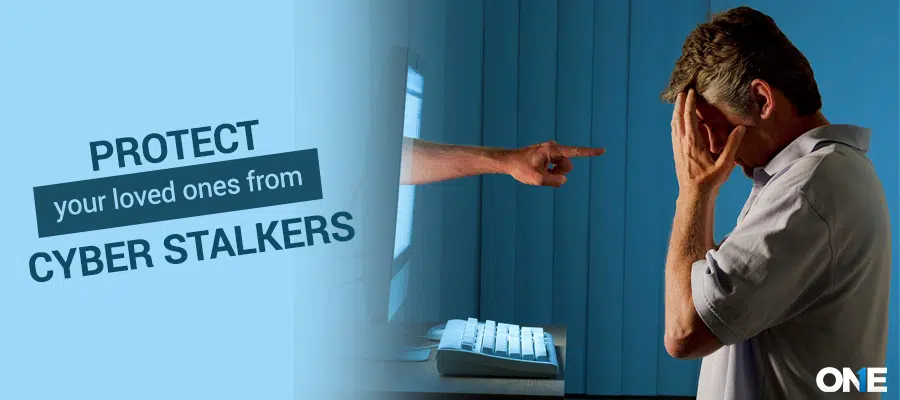
Cyberstalking is raising issues with the development of time and technology. It can infiltrate everyone’s life and cause financial harm, stress, emotional trauma, and physical danger as well. A recent report shows that more than 45% of users face online harassment on the internet and social media. However, it’s highly necessary to protect your loved ones from these potential threats. This information helps you safeguard your teens, family, and loved ones from being victims of Cyberstalkers by navigating the secure sides.
What is Cyberstalking?
Cyberstalking is the use of digital technology to harass or threaten someone. It covers factors like sending inappropriate messages, spying on them, showing videos of their home and workplace, and repeatedly developing fear, harm, and mental disturbance.
Cyberstalking has many forms, including physical and online, through email, messages, and calls. Cyberstalkers may be motivated by false beliefs about romance, past relationships, revenge, and humiliating someone. They may have a severe mental disorder and don’t respond to psychiatrist appointments. It can be more dangerous than physical stalking because stalkers send anonymous messages online.
Cyberstalking Report Statistics
- A total of 7.5 million people experience cyberstalking every year
- More than 80% are victims of the use of technology, a person stalks 67%, and a few experience both types.
- 69% experience significant emotional distress.
- 67% of victim know their stalkers.
- 61% of stalkers use the latest tools and technology like text messages, emails, calls, and comments.
- 29% report stalking as a crime
- 16% of predators share sexual pictures and videos without others’ consent
Impacts of Online Stalking on Your Life
The online staking impact can be severe for both physical and mental health. Some human impacts include:
- Victims may suffer from anxiety, depression, and a fear of being watched. This can cause insomnia and other emotional issues.
- Repeatedly triggering the same situations causes physical problems. These include stomach issues, headaches, nausea, and a weak immune system. They are due to mental disturbance.
- Victims isolate themselves from friends, family, and social circles due to fear of stress and anxiety.
- Stalkers affect a person’s daily routine. Following them from home to the workplace and using technology to track them makes it hard for them to move outside.
- The emotional trauma leads to lasting effects even if the stalker is not present. They still feel uncomfortable due to their chronic mental disorder.
- A person can fear developing relationships due to past traumas, depression, and anxiety.
Types of Stalking
Stalking has many forms. It depends on how stalkers interact with victims. Some types are:
Physical Stalking
This involves physical actions such as following someone from home to the workplace, making videos and photos without their consent, and sending them through different numbers.
Cyberstalking
Cyberstalking is the act of sending messages, calls, and emails online. It involves constantly watching victims and disturbing their activities.
Former Partner’s Stalking
This occurs when the partner repeatedly harasses even after the separation.
Celebrity Stalking
This occurs when fans follow celebrities and send messages in intense or dangerous ways.
Delusional Stalking
This is a mental disorder condition in which stalkers consider some relationship with their victims, leading to intensive behaviors. The stalkers feel they are specifically connected to the victims.
Sign of Stalking
Unreliable contact: Repeatedly sending calls, messages, and emails without asking to be stopped.
Follow or stalk: Continually follow and watch the victim’s activities. Plus, watch everywhere that victims are present.
Unwanted Gifts: Send gifts without a person’s consent.
Monitoring: Tracking victims’ online social activity that can be disturbing.
Threatening: Threatening someone by making a harmful statement and taking inappropriate actions.
False identifications: believing they have particular connections to victims.
How to Avoid Cyberstalkers?
Online safety is necessary: Keep your child, family, and loved ones safe and secure while using digital media. So, to reduce the rising risk of online stalking, you’ve to follow proactive steps such as:
Set family rules: Explain to your kids and family members what behaviors are unacceptable and what core boundaries cannot be violated.
Know their social media platforms: It’s important to check your loved ones’ social media accounts. You’ve got to notice which apps they use and how.
Restriction on excessive sharing: The best way to avoid online stalking is to control online sharing with anyone. Explain the consequences of sharing personal data, and emphasize thinking before they share anything online.
Manage social media account privacy: Restrict social media accounts by using strong passwords and setting privacy settings on who can view or not your personal information.
Block user: Take the initial step to block the online stalker on social media accounts or specific apps.
Inform the police department: Ensure you take evidence of everything and report the person to the police with authentic documents.
Use TheOneSpy App to Secure Loved Ones From Cyberstalkers
Use TheOneSpy parental monitoring application to check your loved one’s online activities and identify if they’re being stalked. The OneSpy phone monitoring application helps you remotely track and monitor, and get a backup of all the saved data, change device passwords, uninstall the app, record screen, and capture screenshots to take action to secure your loved ones. It is best to safeguard your family, children, and loved ones by installing and remotely monitoring their activities. TheOneSpy always helps users against illegal surveillance by stalkers by giving them a wide range of secure features.
Conclusion: How to Protect Yourself From Cyberstalkers
Stalking is a harmful and serious act that damages someone’s mental and physical health. It can cause lasting effects with fewer human interactions. It can lead to chronic mental disorders, anger, anxiety, and depression. This is alarming for health. Victims should consider stalking signs if they happen around them, take legal action, or seek help from experts. Use tools like TheOneSpy family protection app to provide unparalleled features to protect yourself from unauthorised access. You need not compromise on security and privacy to ensure a smooth lifestyle.