

Contacts Monitoring Software to Spy on Phone Number List Remotely
TheOneSpy app lets you monitor the contacts list on the targeted phone. The app syncs the mobile device’s phonebook with the TheOneSpy dashboard. Let you spy on the all saved contacts, phone numbers, first and last names, emails, and addresses.
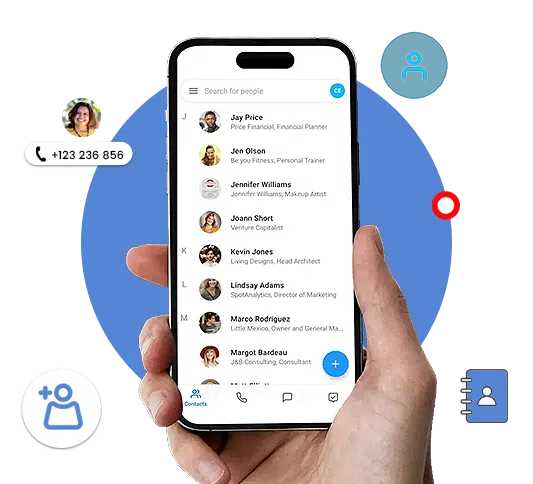

How is the Monitor on Contacts List Helpful for Users?
TheOneSpy app is an ultimate solution for digital parenting and employee monitoring. TheOneSpy contacts monitoring app lets you Track Contacts’ social media accounts and email addresses. Allow them to track their contacts’ cell phone numbers.
Now, even if they have saved the contact numbers of the wrong sort of people under a false name, you can find out their real identity by looking at their personal details.
Track Phone Contacts to Maintain Safety and Compliance
Understanding who your loved ones are and how to manage yourself can make a great difference. TheOneSpy monitors the contact list to ensure that there are no unsource entries that interfere, and that no duplicates or suspicious contacts appear there. Best for the parents who need kids’ contact to be secure and safer from stranger attacks or the employees who need reassurance that their company’s device is not compromised.

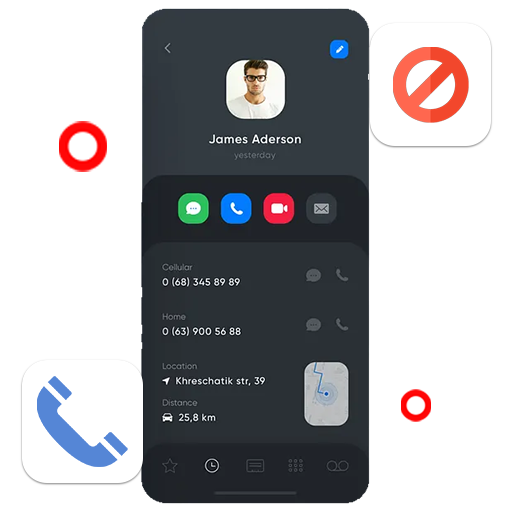
How to Initiate the Contacts Monitoring Software on the target device?
You can know every activity your target mobile phone user performed on their device with TheOneSpy. However, first you need to set up TheOneSpy on the target phone you want to monitor.
Therefore, start the installation procedure and, once it is complete, activate the application with the provided activation code. In addition, use the credentials to access the online control panel. You can use the contacts feature, which empowers you to monitor the phonebook of the target user instantly.
Spy on Contact List Remotely without Rooting!
TheOneSpy, a potent contact monitoring app, now allows you to discreetly watch the contact logs without the need to root. It means tracking the Android-based devices with deeper insight into the contact list, without having to deal with the difficulties of rooting first!
TheOneSpy Contacts List Monitoring App Is a Masterpiece of Smart Monitoring
TheOneSpy contacts list monitoring app has no match when it comes to tracking and managing contact details, making it the world’s No. 1 solution for monitoring phone contacts.

Monitor Phonebook
Get target phone location discreetly in real-time

New Contacts Updated
View GPS location of target phone via Google maps

Spy Deleted Contacts
Track target device location without them knowing

Download Phonebook
Get data via dashboard & view target device location

Subscribe to the Contacts Monitoring App
You have to subscribe for TheOneSpy and choose a subscription plan and receive an email with a password and ID.

Physical access to the cellphone
You need physical access on the target phone to execute the configuration process successfully on the target cell phone device.

Access to the web control panel
You have to use credentials and access the web control panel to activate features, like a location tracker on the target phone.
User's Review

Leuna A:
TheOneSpy’s contact list monitoring helped me understand who my teen is really connected with.

Daniel R:
Seeing all saved contacts on a work phone made device management much easier for me.
Jason K:
This contact-monitoring feature is simple to use and provides exactly the details I need.
Emily T:
Knowing who is saved in my child’s phonebook gives me real peace of mind.
Frequently asked Queries by users
The monitoring of the contact list on TheOneSpy means the online viewing of the saved phone book of the targeted phone. The feature allows you to secretly spy on the contact list, the name, number details, and observe who your kids or employees interact with.
To get TheOneSpy, you first need to physically access the target device once. After you install the apps on the smart device, the contact logs are synced to the dashboard with your assigned account. This allows you to view your contacts remotely.
Yes, TheOneSpy does have the feature of contact list monitoring capabilities for Android mobile and iPhone devices too. The mobile devices will synchronize the saved contacts, allowing the names/numbers to be tracked.
No, contact list tracking and call history tracking are two different features of TheOneSpy. Contact list tracking only tracks stored numbers and names in a phonebook. If you want call history, you have to monitor calls using a call history-tracking feature.
When done legally and in accordance with consent and ownership laws, surveillance of a contact list can be perfectly legal. It applies to parents monitoring their children and employers monitoring work-issued devices that their employees are aware of using. TheOneSpy was built with local and ethical laws in mind, and urges the audience to follow the laws before purchase.
In most cases, TheOneSpy displays contacts currently saved on the device. But if your device has TheOneSpy installed before the contact misplaces it, it still be accessible and available in the TOS dashboard.
TheOneSpy automatically updates the list of monitored contacts at fixed intervals, depending on the device and available internet connectivity. New and edited contacts are automatically synced with the control panel, keeping you updated without having to constantly access the target phone.
For parents, the contact list monitoring feature is useful because it lets them see the numbers in the child’s contact list that they do not know. It is especially true when the numbers seem suspicious.
Depending on the device and configuration, TheOneSpy provides updates on the dashboard whenever a new contact is added to the phone. Although it does not offer real-time notifications, a person can check when new contacts are added to the phone.
To check the monitored contact list, you need to access the TheOneSpy dashboard with your login credentials. There, you can see the contact monitoring section, where all the monitored contacts and relevant information are present in a well-organized manner.
Yes, it is possible; you can use a different format to export the Contact info to any other device. You can use an Excel File, a PDF File, a document file, a print format, or the copy to the clipboard method for easy download through the TheOneSpy dashboard.
Yes, TheOneSpy enables its users to remotely track the contact list. After the installation and activation of the application on the targeted mobile phone, the contact details can be viewed online.