

Microsoft Teams Tracker App to Monitor Every Activity
Discover What They’re Doing on Microsoft Teams
Microsoft Teams is used for remote work, business meetings, tracking projects, and online classes. TheOneSpy Teams tracker app can reveal a treasure trove of information, including conversations, chats, voice chats, audio-video calls, documents, media, and more. Microsoft Teams tracking is an intriguing activity that allows you to access the instant Messenger on any mobile or PC device, keeping you updated on what’s happening 24/7.
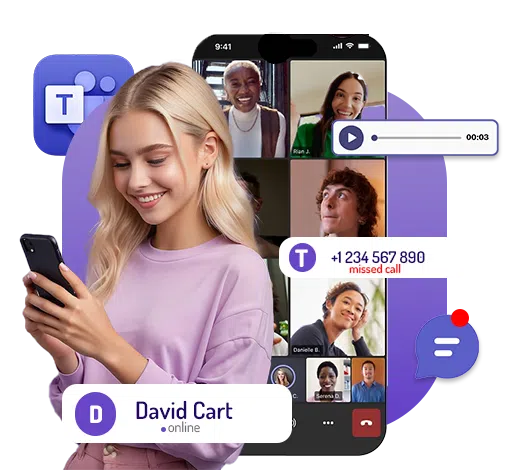

Catch Every Word in Microsoft Teams — Even Deleted Messages
Teams Tracker App empowers you to monitor Teams conversations with ease. It covers chats, emojis, GIFs, shared multimedia, documents, images, and more. TheOneSpy Teams monitoring software can catch remotely secret conversations from the target device, saving the data on the dashboard for convenient access. Users can then examine every monitored activity from the comfort of their own devices.
Step Inside the Meeting – Microsoft Teams Screen Recorder
Have you ever wished to see Microsoft Teams as if the next person were seeing it themselves? With TheOneSpy’s Teams Screen Recorder, you don’t just get the highlights; you see the full picture. It automatically records everything from group chats to screen sharing, scheduled meetings, and all other activities that can take place on Microsoft Teams, saving to a personal one-to-one web server.
The Microsoft Teams opens on the target device, TheOneSpy springs into action—silently recording live video snippets of everything happening on-screen. No drag, no threatening disturbance, and absolutely hidden, no possibility of being caught. It’s as if it’s on top of their heads without them even realizing the actual user knowledge.

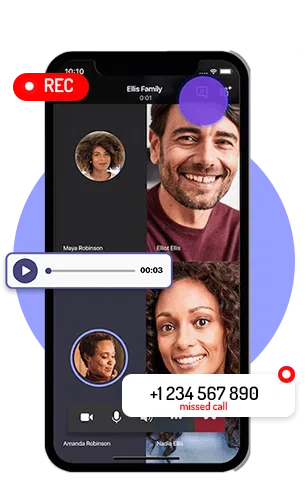
Best Teams Tracker App – Record Every Call Secretly & Securely
Maintain peace of mind with the Teams Tracker App by TheOneSpy, the discreet solution for parents or employers who want to ensure their child’s or employee’s online conversations are safe and appropriate. Imagine the comfort of knowing you can silently record all audio and video calls made on Microsoft Teams using a smartphone or PC. TheOneSpy’s powerful tool integrates seamlessly with your devices, recording every exchange without disrupting the user experience. Whether your child is chatting with friends or engaging in virtual study sessions, you’ll have a comprehensive record of each interaction. With TheOneSpy Teams Tracker, you can rest assured that you’re providing your family or employees with the security they deserve while keeping an unobtrusive eye on their digital world.
From Stressed to Streamlined – Solution in Just TheOneSpy App
Microsoft Teams, a versatile Messenger app, is a verbal and non-verbal communication hub. A Teams tracker app can monitor messages and audio-video calls, providing parents with peace of mind about their teens’ online activities. Similarly, for employers, the ability to monitor workers’ conversations and other activities can bring peace of mind, knowing that business privacy and productivity are being protected. Peace of mind is crucial to using TheOneSpy app for parental control and business safety.

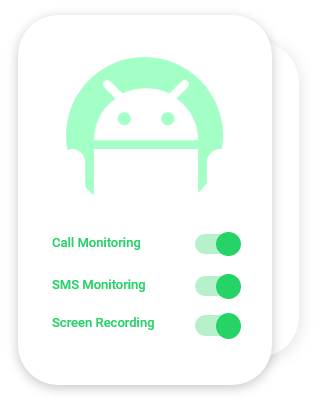
Discover Why TheOneSpy is the Best Choice for Teams Tracking
TheOneSpy is a user-friendly Teams monitoring app that works on cell phones and PCs and is active with instant messengers like Microsoft Teams. The following reasons have made it the best for every business.

Record Teams Calls
Secretly record Teams audio and video calls with logs

Check Text & Voice Chats
View all text chats or voice messages with details

Monitor Shared Media Files
Track shared photos, videos, and images & other

Save Monitored Data
Send the data to the web control panel

Get TheOneSpy Subscription
First, you need to subscribe to TheOneSpy to choose your desired plans. You will receive an email with credentials.

Get Access on the Device
You have access to the target device. Further, it is easy to start the installation process to configure the software successfully on the target device.

Web Control Panel
Users can use passwords and IDs to access the online dashboard to activate features, like Microsoft Teams.
User's Review

Mark Mathews
TheOneSpy tracking application is the best tool for monitoring employees on Teams.

Kyle Walter
Teams screen recorder is the best tool for monitoring chats, voice calls, shared media, and much more.
Harold Gerald
TheOneSpy is the best parental control software I have seen. It can track live IM activities on the cell phone.
Kate Keith
It is simply the best monitoring software that has empowered me to keep an eye on my teen’s social messaging activity.
Frequently Asked Questions (FAQs)
TheOneSpy is the best social media monitoring software. It offers plenty of features that enable users to track Teams conversations remotely using an online dashboard.
No, it is strongly difficult for the target person to detect TheOneSpy tracking software. The application can hide its app icon on the target device and work in a hidden and undetectable mode.
You can track Teams activities by installing the TheOneSpy app on a targeted device, then log in to the web control panel and remotely monitor all their activities without being detected.
Yes, recording and listening to Teams voice conversations with TheOneSpy app is possible. Once the calls are recorded, they can be accessed through the app’s user-friendly interface. TheOneSpy gives complete access to the targeted device for recording voice calls or chats.
TheOneSpy Teams Screen recording app operates in complete stealth, remaining entirely invisible and undetectable on the targeted device. This ensures the user’s security and privacy while monitoring the device activities of the targeted person.