

Capture Screenshots Someone's Phone Remotely
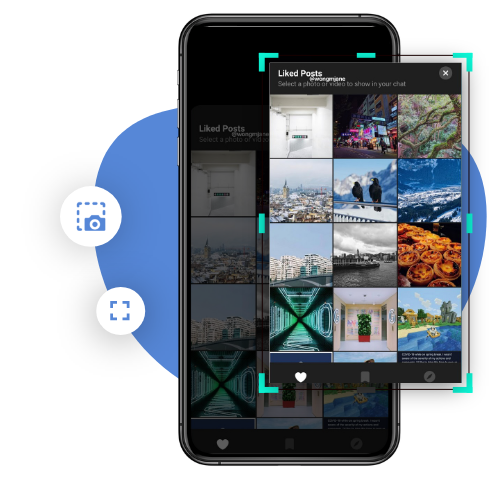
TheOneSpy screenshot feature enables you to monitor and capture screen activity on your loved one’s cell phone in real-time. It will instantly start capturing plenty of snaps of phone screen in regular intervals. Keep sending captured screenshots data to the user’s control panel. Users can access the captured data and see every activity on the mobile screen.
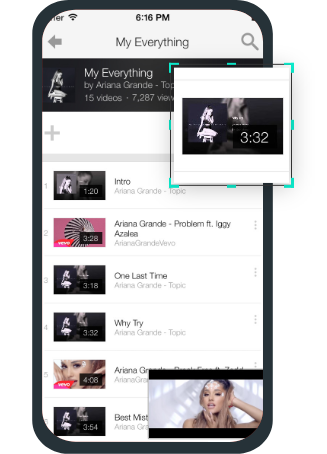
- Take screenshots of YouTube activity
- Capture screens from dating or streaming apps
- View social media activity
- Take screenshots during gaming
What Can the TheOneSpy Screenshot Feature Do?
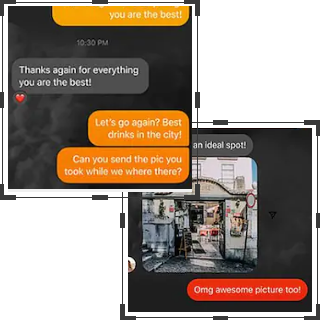
TheOneSpy has the best secret screenshot app feature. You can see everything happen on your target mobile device, but you have to schedule plenty of screenshots on the target device to capture activities. Users can take screenshots to capture activities like call logs, message threads, social media chats, VoIP calls, view dating or streaming apps activity, emails, contacts, browsing activity, installed apps, or gaming activity, and many more. TheOneSpy can capture snaps on the cell phone screen and send them to the web control panel. Users can capture screenshots and stay updated about the activities on another phone screen.
See What They See: How Is Our Screenshot Capturing Feature Helpful
Our feature is helpful for parents who want to set parental control on their kids’ online activity. Moreover, you can see your teen’s mobile screen to know what they are doing all day long using a cell phone connected to cyberspace. A screenshot capture tool on a cell phone to take screen photos repeatedly and send them to the dashboard. TheOneSpy screenshot feature is also helpful for employers to watch business productivity and safety on business devices provided to employees during working hours.
Is TheOneSpy Screenshot Feature Works on Non-Rooted Device?
Yes! You can capture snaps on a cell phone screen without any change to the operating system of the target phone. However, you have TheOneSpy software that captures screenshots on another phone screen without a rooted device.
Why is TheOneSpy Best for Capturing Phone Screenshots?
No technical skills needed. Powerful to monitor. TheOneSpy works seamlessly via an online dashboard, and here’s why users rely on it.

Capture multiple screenshots
Send multiple commands at once for screenshots

Capture phone calls screenshots
Take screenshots of the call logs

Capture Chat screenshots
Capture on phone screen active with text chats

Save all the screenshots
Send all screenshots to TheOneSpy dashboard

Get TheOneSpy subscription plans
You need to subscribe to TheOneSpy plans and receive credentials via email.

Get your phone into your hands
You can get physical access on you device to process TheOneSpy installation process successfully on target device.

Activate web control panel
Users can use the password and ID to access the web control panel and activate powerful tools like screenshot.
User's Review

Rachel Wilson
TheOneSpy features are powerful, and I have used the screenshot feature, which is best for monitoring purposes.

Ricky Williamson
I can capture screenshots remotely to monitor my child’s online activity.
Luna Jacobs
Screenshot capturing helps me in monitoring my business phones to keep an eye on my employees.
Isaac Ismael
I love TheOneSpy the way it captures screenshots secretly on a cellphone screen.
Frequently asked Queries by users
General Questions
Frist, You can install the TheOneSpy software on your target device. It can take screenshots on any cell phone screen remotely. You have to schedule several screenshots on the target device to capture snaps on the cell phone screen and send them to the web control panel.
Yes. TheOneSpy app can capture screenshots on any cell phone device. It empowers you to take screenshots to monitor cell phones like phone calls, chats, voIP calls, emails, social messaging apps, gaming, and many more.
Several apps are floating on the web that claims to take screenshots. TheOneSpy is the best app for capturing screenshots on any device secretly. It can take screenshots remotely via the dashboard, and users can capture every activity on a cell phone screen. It is the best app to monitor cell phone screens because users can schedule plenty of screenshots in a series on the target device.
Technical Questions
You have to get your hands on TheOneSpy software and install it on the target Android phone. Further, get access to the features and activate and schedule multiple screenshots on the Android phone screen. It will start functioning and deliver several Android screen snaps via the dashboard.
TheOneSpy is the no.1 cell phone monitoring software. The app can remain invisible and undetectable and captures screenshots with no root option on Android phones. Users can use it to unveil secret and hidden activities on Android device. You can monitor on emails, social networks, dating apps, voIP calls and gaming.