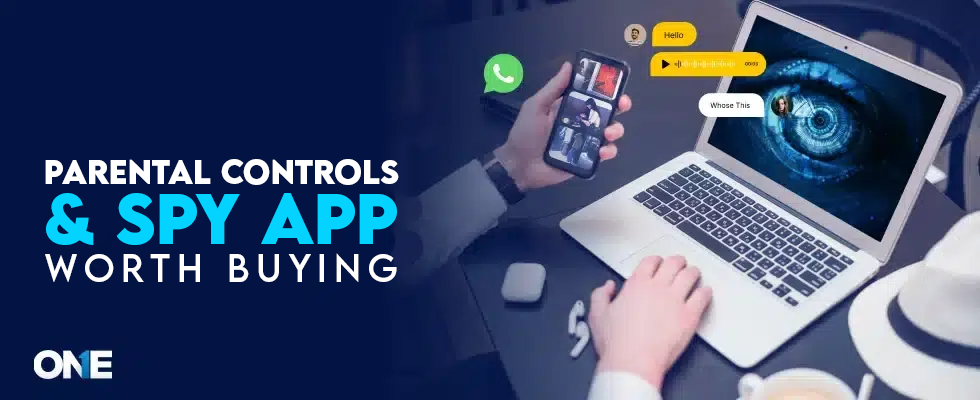
Are you wondering about the parental controls or spy app? People always plump for the worth buying monitoring app for phone & computer, Laptops, and Macs. We aim to narrow your time efforts; we have scoured the market. You may want an application that gives good value or service following the amount of money, time, and effort you spend.
In this blog post, we will discuss the factors, reliability, pros and cons, and pricing. We bring you the best parental control or monitoring app for phone & computer, worth buying. Read on to learn about the one that ticks the right boxes.
What Is Parental Control or Spy App for Phone & Computer?
A parental control or monitoring app is a system that helps parents protect children online by controlling their use. The software features that allow parents to monitor, manage, and limit their children’s use of digital devices.
An app would capture screenshots, keystrokes, and passwords. It can record calls with logs, social media activities, browsing history, Block apps, location, and more. Computer monitoring software does the same, but works on laptops and MAC devices. It can determine the installed app. The Parental control app for phones and computers works without the target person’s knowledge. A successful installation process involves performing remote phone or computer tracking.
58% Rise in the demand for monitoring apps for phones and computers
- Parental control application works on a cell phone or computer device.
- It monitors the activities of the target user without them knowing.
Confused by Too Many Apps? How Do You Pick the Right Parental Control App?
Yes. There is always a way. You should see a few things before buying the best parental monitoring app. Here are the things to keep in mind to get reliable and worth buying parental software:
- A Phone or computer tracking service should have real-time monitoring capacity. A parental control application can monitor surroundings with audio and video facilities.
- Tracking software for phones keeps itself hidden while monitoring on another smartphone.
- Parental control software can monitor another device from a distance after installation.
- A completely hidden monitoring app would be a plus for the users. Hiding app icons is rare among top solutions.
- Select the best monitoring software that remains undetectable by anti-spyware and remains tamper-proof.
- Find an undetectable tracking solution that offers services for Android phones without root.
Which Is the Best Ultimate Parental Monitoring App For Phone & Computer?
TheOneSpy is the best ultimate tracking solution for phones and computers in 2026. TheOneSpy is the best hidden app for monitoring phone & computer devices from a distance. It’s a hidden app icon with a user-friendly interface and an easy-to-use dashboard facility.
A powerful app can conquer every monitoring mission with 100% accuracy. TheOneSpy is active on any device. So, TheOneSpy is the ultimate parental software for phone & PC and the NO. 1 monitoring contender with unique functions.
Pros & Cons Of TheOneSpy App
Here are the following pros and cons of the world’s best parental monitoring software.
| Pros: | Cons: |
|
|
|
|
|
|
|
|
|
Pricing Of TheOneSpy Software
Here are the following subscription plans of TheOneSpy app for the phone that you need to know, which are cheap and worth buying:
TheOneSpy has subscription plans for 1 month, 3 months, and 12 months.
| Android: | Mac: | Windows: |
| 1 Month: $43 | 1 Month: $29 | 1 Month: $29 |
| 3 Months: $89 | 3 Months: $49 | 3 Months: $49 |
| 12 Months: $139 | 12 Months: $69 | 12 Months: $69 |
For more updates, visit TheOneSpy buy now page and get the details.
TheOneSpy Compatibility:
Here is the compatibility of TheOneSpy with Android, Windows, and MAC devices that is worth buying.
For Android:
TheOneSpy app is compatible with all Android devices running from OS 7.0 up to 16.
For MAC:
Designed to keep pace with Apple’s evolution, TheOneSpy software now supports macOS 26 Tahoe, macOS 14 Sonoma, and macOS 13 Ventura, ensuring reliable operation on MacBook Air, MacBook Pro, iMac, and Mac Studio.
For Windows Computer:
Full compatibility across all major computers, laptops, and tablets, covering top brands like Dell, HP, Lenovo, ASUS, Microsoft, Acer, Razer, MSI, Alienware, LG, and Microsoft, Chuwi, Ematic, HP, Dell, Lenovo, ASUS, Wacom, Panasonic, and more.
TheOneSpy App For Android Features
Let’s discuss the best Features of a cell phone monitoring software for Android in the following:
- Spy 360 Live cameras streaming
- Spy 360 Live surround listening
- MIC bug
- Camera bug
- Screen recording
- Live GPS tracking
- Keylogger
- See Social media chats
- Record Phone Calls
- VoIP call recording
- Block unwanted Calls
- Screenshots
- Block Apps/Websites
- Screen Time
- Browsing History
TheOneSpy Features For MAC Computer Devices
Here are the features that you can use to monitor on Mac devices.
Screenshots: TheOneSpy MAC software enables users to schedule screenshots on the target device to see the target user’s activities.
MIC bug: It can operate the target laptop device’s microphone to record surrounding sounds, voices, chats, and discussions. Also, it saves data to the dashboard.
Camera Bug: The app for Mac remotely controls the front camera of the target computing device to capture photos and sends them to the dashboard.
Screen recording: TheOneSpy software can record live videos on the Mac screen and send data to the dashboard.
Key logger: TheOneSpy service captures all the keystrokes applied using the MAC device keypad. Users can capture passwords, chat, messenger, and email keystrokes.
Websites blocking: The software monitors every website on web browsers. Users can see the searched websites’ URLs, timestamps, and blocking.
TheOneSpy Features For Windows Devices
Let’s discuss the following top-notch features of TheOneSpy app for Windows:
Windows browsing history: TheOneSpy software for Windows allows users to monitor browsing history. You can see the visited websites.
Activity logs: Users can see every activity the target person has performed on another PC.
Surround recorder: Users can record and listen to the surroundings of Windows.
Computer camera photos: You can capture photos using the Windows laptop’s front camera.
Capture screenshots: You can schedule screenshots on any Windows desktop or laptop.
Windows keylogger: Users can record keystrokes on another Windows computer device. You can capture passwords, hidden chats, emails, and IM keystrokes on Windows.
View installed apps: The software allows you to see every installed application.
Is There A Way To Find the Best Parental Monitoring Software
Yes. You can find the best parental app for devices, like Phones, Laptops, MAC, and desktop devices. It is crucial to keep a few things in mind to get the best monitoring service. Here are the following steps to perform to get the best one in the parents & business:
Steps To Get & Install the Best Parental Control Solution In 2026
Let’s perform the very crucial steps to have the best phone and computer monitoring solution, which is as follows:
Step 1: Visit TheOneSpy webpage
Wondering about a parental monitoring app? Visit TheOneSpy web, and tap on the solutions. You will receive an email with a password and ID.
Step 2: Activate the monitoring solution
You need at least one-time access to the target laptop or desktop device to start the installation process. Activate the app after a successful installation process.
Step 3: Login to the dashboard using credentials
Users can use the password and ID to access the dashboard. You will get access to the dashboard and go to the features tab.
Step 4: Start tracking on devices
Users can start monitoring on devices after they have access to TheOneSpy monitoring features. TheOneSpy has distinguished the features separately for Android, Windows, and MAC devices.
Why do People Want To Monitor On Phones & Computers?
Many individuals are trying their best to monitor another cell phone or computer device as technology is evolving. Here are the following people who are in desperate search of computer and phone monitoring services:
For Parental Controls
Parents are desperate to get their hands on the phone and computer tracking services. They want to set parental controls on kids’ and teens’ devices. Do you know why? Teens could visit adult sites, social media apps, and online dating apps on their cell phones. Also, they are easy targets for stalkers, sexual predators, and child abusers online.
Many teens visit adult sites and watch porn and become addicted to it. So, parents have no choice but to use computer & phone monitoring services to protect teens from online predators. They also face challenges to supervise teens’ inappropriate activities on cell phones. Cyberbullying is another nightmare for parents that forced to monitor on kids’ devices 24/7.
For Employee Monitoring: Why do Employers want to Monitor Computers & Phones?
Employers want to use phone and computer monitoring software on their business devices.
40% of employers said it gives them insight into employees’ daily operations. 38% of employers said it ensures employees are not underpaid. 37% of employers believe that computer monitoring products identify mistakes before escalating.
Here are the following advantages of using tracking software for cell phones and PCs:
- It monitors the business-owned computers provided to employees during working hours.
- Tracking apps, like TheOneSpy, prevent data loss on business phones and computer devices.
- Employers can check the employee’s productivity on business devices.
- You use phone & computer monitoring solutions to manage endpoint security.
- Business professionals use spying services to prevent insider threats.
- Employers can also watch and track the location of the remote workforce.
Frequently Asked Questions:
Yes! TheOneSpy is the best parental control app for Android phones. It works on non-rooted devices.
TheOneSpy is worth buying and is an economical monitoring service for cell phones and computers. It offers a subscription plan for $12 per month bill yearly. Also, offer plans for computer devices that are cheaper than the competitors.
No. TheOneSpy will not charge you more unless you have bought the subscription plan that offers live camera streaming and live surround listening. Users can use live camera streaming to connect the target Android phone cameras to the online dashboard. So, it will stream the live surroundings of the target phone. Live surround listening connects the target Android phone to the dashboard. Users will listen to the live surroundings.
Yes. TheOneSpy is one of the few parental control apps that offer the same features for phones and computers. Users can record live screens on Android phones and computer devices. Users can record the surroundings of their cell phones, Windows, and MAC devices. TheOneSpy offers a screenshot feature for phones and computer devices.
TheOneSpy is one of the few apps that offer mobile viewer apps to users. Users can download the TOS Navigation app on their cellphones and laptops. Further, they can log in once and for all to see the live monitoring results of the target phone or computer. Users need not to login back and forth of the online dashboard anymore.