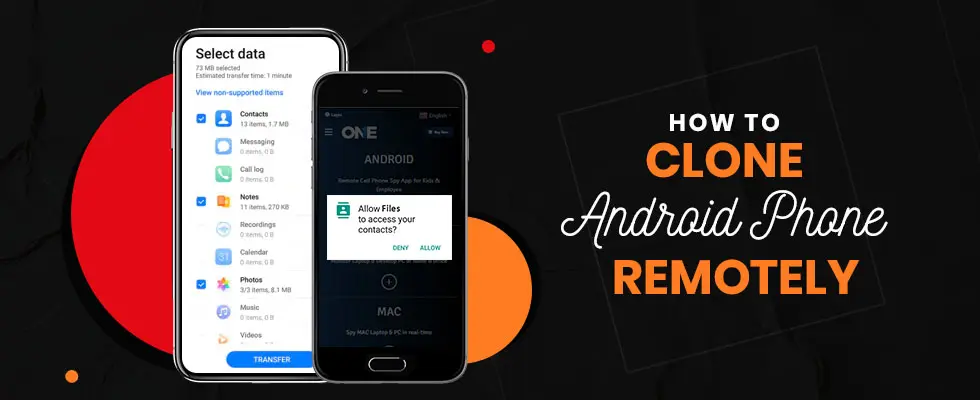
Cloning an Android phone does not seem easy, and it can be time-consuming and hectic. But today, we will give you an easy guide to help you get up and do the job quickly. You may want to intercept live calls and messages from your target phone. Do you want to know how to clone Android phone to another phone remotely or transfer your data from an old Android phone to a new phone?
You’ll need to use a reliable cloning app or tool to do this. You have to follow some steps to clone an Android phone. This process allows you to clone various data types, including contacts, messages, call logs, photos, videos, and more. Let’s start it!!!!
What is An Android Phone Cloner?
Android phone cloner is a process that helps you transfer your Android phone data from one device to another, including messages, apps, media files, and contacts. This allows for seamless data backup for security. The purpose of cloning the Android could be different, such as monitoring someone’s activities on their phones, such as young kids and teens, employees, and the person in a relationship with you.
On the other hand, it may also be possible that one wants to change the old Android phone and sync the entire phone to the new one.
How to Clone an Android Phone to Another Phone
If you are searching for a way to switch your data between different Android Phones, there is no need to worry, as technology has advanced to provide us with a Phone cloning option. It copies your entire data, including messages, photos, videos, contacts, and even settings.
The market is vast, allowing you to use phone cloning apps or choose traditional methods like Google Drive for Cloning. You just need to follow the procedure, have a stable Wi-Fi connection, and a fully charged device. Just wait for a minute, and your new device will work like the previous one, without the need for a reset.
Best Phone Cloning Apps for Android in 2025
Suppose you are looking forward to cloning your phone device or want to monitor someone’s cell phone device with the help of Android monitoring app.
Then, you have to follow some basic steps of the phone cloning app to get your older phone’s actual data and reload it into your newest phone. Let’s discuss all the steps you need to follow to clone a mobile phone with an Android phone.
Method No 1: Use TheOneSpy App to Clone a Phone
Initially, suppose you want to clone an Android phone or any particular phone with an app to get the smartphone data. In that case, you are willing to track someone’s phone activities such as text messages, incoming and outgoing calls, shared media files, Passwords, and many other things.
Once you have installed the Android phone cloning app on the target phone, you will have the power to monitor all cell phone activities and even deliver your old cell phone data to the new one without facing issues.
Once you have installed TheOneSpy, your headache is over whether you want to clone an Android phone for any reason or track on someone’s phone.
Here, How Can I Clone a Phone with TheOneSpy?
- Subscribe to TheOneSpy app by selecting a suitable package.
- Wait to receive the credential email.
- Now install TheOneSpy app by getting physical access.
- Once you’ve done this, you can log in to the web control panel to view all data from the targeted device.
TheOneSpy offers a convenient and straightforward method to clone Android devices. With its easy installation process and user-friendly interface, you can effortlessly view data from the targeted device.
Method No 2: Dr.Fone – Phone Transfer
Dr.Fone by Wondershare – Smart Professional Cloning Software. Dr.Fone by Wondershare is an intelligent, professional cloning software designed for Android users. Ideal for connecting multiple devices to your computer, it instantly transfers data from one device to another. You must complete this step on a PC to pair the devices; then, simply follow the on-screen instructions. Duplicating is also possible on WhatsApp, but not all apps are compatible with these versions. No matter which brand of device you favour, be it Android or not, Dr.Fone makes data syncing super easy.
- Type: Paid (free trial available)
- Features: Clone full phone, supports WhatsApp, contacts, media, and more
- Pros: Advanced backup/restore, cross-platform support
- Cons: Requires PC
How to Clone An Android Phone for Free
Not everyone can buy premium apps. After all, there’s free software for the Android platform that makes it easy to clone your phone. Using such tools as Google Drive, Samsung Smart Switch, and ShareMe, you can share your data without having to fork up the dough. Yet it’s not made explicit that little things, like life passwords and settings, are safe, and it works best among the same brands. They swear that with the Typesync system, there’s no way to copy/sync a device and lose just one picture, contact, video, app, etc.
Method No 3: Clone an Android Phone with Google Drive
It is one of the most common methods in Android devices by default. When you connect your account with Google devices, it captures every image, video, calendar event, memory with dates and times, internet settings, and many more. All without the need for third-party tools. The only limitation is that it does not copy the specific app’s data content, whether it’s chats or media files. However, it is a free, secure cloud-based structure to retrieve your data from Android to Android.
Method No 4: Samsung Smart Switch
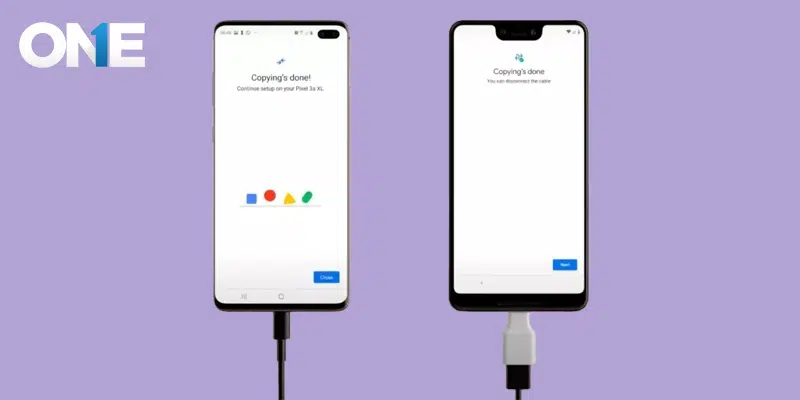
A pre-built tool made for Samsung users to clone data across Samsung devices. A fast, reliable, and easy-to-use private tool, sharing all data, including pictures, images, files, videos, text messages, and even settings. To connect your Android device to a Samsung device through the USB port. Follow the prompt and start transferring your data. Ideal for customers who have shifted from old Android phones to the Samsung Galaxy.
- Type: Free
- Features: Transfer apps, contacts, messages, media, device settings
- Pros: Optimised for Samsung devices, seamless experience
- Cons: Best used only when moving to a Samsung phone
Method No 5: ShareMe (by Xiaomi)
ShareMe, made by Xiaomi, is a free cloning tool available every day. It works efficiently across Android platforms. No Matter How you change your Android devices, ShareMe makes the copying process smooth and hassle-free. There is no need for an internet connection; simply pair the devices and start cloning. However, it does not support copying entire content; instead, it allows sharing of photos, videos, or apps, but not chats, calls, or contact logs. If you’re looking for an easy and free way to share media files and documents, ShareMe is the on-the-go solution for you!
- Type: Free
- Features: File, photo, and video transfer between devices
- Pros: No ads, clean UI, works on all Androids
- Cons: Doesn’t support SMS or call log transfer
Method No 6: Use CLONEit Method
The second best way to clone Android phone is to use the CLONEit app. This helps you a lot in cloning your Android devices to use this method, you have to make sure the CLONEit app is on your devices, then connect the device to an internet connection to transfer the data.
Use one device to share data and another to receive. So, the CLONEit app will work to clone Android phone data. Once done, you can share and view data like photos, messages, emails, call logs, contact lists, and installed app data.
Here is How to Use Cloneit to Transfer Data
- Open the app store to Find the CLONEit app
- Before you begin the data transfer, it’s crucial to ensure that the CLONEit app is installed on both the device you’re transferring data from and the device that will receive it. This step is a key preparation for a successful data transfer.
- Now connect the devices via the internet
- Select the data you want to share
- Once you are done, CLONEit work, soon you’ll see the shared data
This method can be helpful, but we can not guarantee its reliability. It may leak your data. So, to prevent any danger, choose the top method to clone Android data.
Method No 7: Use Bluetooth Method
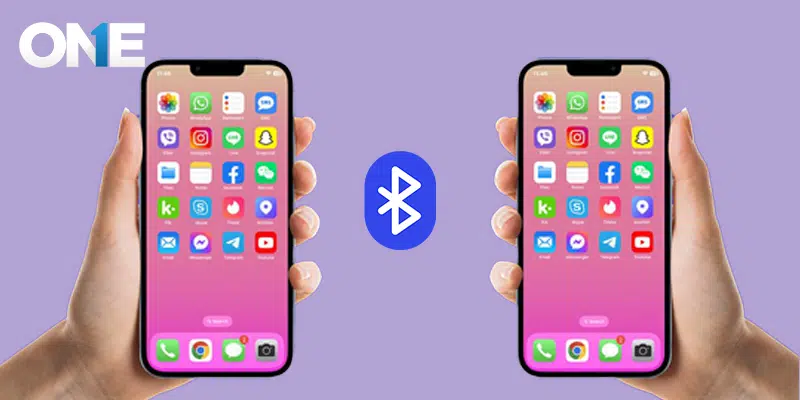
Bluetooth is another way to clone your Android phone data. As with the others, this method also needs two devices: one to transfer the data and a second to receive it.
The user must install the Cloner tool on their phone to use Bluetooth. Then, the devices are put in discoverable mode to make sure the Bluetooth is turned on. while using this method, you must keep both devices close to complete the process. Pair both devices to clone the device data.
Look at How to Clone with Bluetooth
- Unlock both devices( one to transfer the data and the other to receive it)
- Turn on the Bluetooth app on both devices
- Now pair both devices by entering the pin to connect
- Once it is done, you can open the files from the targeted device and choose the data you wish to clone
- Click on Accept from the other device to receive the data.
- Wait a few seconds to see the transfer data from the targeted phone on another device.
This is also a considerable and easy method to clone Android phone data. However, make sure the two devices are close to each other while using Bluetooth
Why Clone Android Phone Data?
Data backup is essential because your cell phone may be hit with a catastrophic accident at any time, and you may lose all of the data on your phone within seconds.
So, it is indispensable for a person looking forward to cloning or tracking someone’s device or shifting the data from an older device to a new one. All you need to do is have data backup on your Android phone.
Therefore, I would prefer a tool that is the best for creating a data backup for your Android mobile phone data.
At the same time, it will behave as if cloning Android phones or spying on anyone else’s phone, such as from a parental point of view, to track an employee’s activities and data within the device, and keep an eye on someone you love the most.
TheOneSpy app is not just a tool; it’s a versatile solution. Whether you need to clone an Android phone, monitor the activities of a target phone, or perform any other data-related task, it’s got you covered. Its adaptability makes it a valuable asset in various scenarios.
What Sort Of Data Can You Clone?
Users can use the clone method to transfer the data, which includes:
Emails, Calendars and Contacts
If you want to get the data of the sent and received emails, calendars, and contacts, use cloning methods. A user can have data from the phone book, calendar events, and task logs shared by the best Android monitoring app, and a user will get to know the Gmail content email.
Images, Photos & Other Media Files
Sometimes, people store music files, photos, and plenty of other things on their Android phones and don’t want to delete or lose entire files. A user can access the data by using TheOneSpy, grabbing all the multimedia data, and shifting it to the new phone.
On the other hand, if someone is monitoring someone, a user can remotely view the phone gallery of a target phone.
Passwords, Bookmarks, & Browsing History
Use the Android surveillance app’s keylogger to access all the keystrokes applied to the target phone. Finally, you will have all types of keystrokes, such as password, SMS, messenger, and email keystrokes.
A user can also view the bookmarked and visited websites of the target cell phone browser using the browsing history of TOS cell phone spying.
SMS & MMS Messages
When it comes to getting your hands on the data of SMS MMS messages, you need to use cloning methods. A user will have the content of SMS, messages, MMS, BBM chat messages, and heads-up ticker notifications.
Instant Messenger's Chat & Conversations Data
Many users want to save their entire conversation for different reasons, such as on social media apps Facebook, Tinder, Line, Vine, and others.
If someone has accidentally deleted the conversation or forgotten the password and ID.
In that case, they can use the social media spy app IMs of the mobile phone tracking software and recover the password and email ID by using the keyloggers and online control panel of TheOneSpy.
Cloning a Phone: Risks, Limitations, and Safety Measures
Although phone cloning is useful for some personal phone moves, such as transferring data between old and new phones, there are risks and limitations that anyone using this technique should be aware of.
Risks:
Without consent, would you all be okay with someone cloning your phone? That could be a serious privacy violation, especially if done to someone else’s phone. If you get caught, it can have legal ramifications depending on the cyber laws of your country. Additionally, using untrusted cloning apps could potentially infect both phones with malware, spyware, or data leaks. Some of these fake apps can also steal your personal information in the process.
Limitations:
Not all data is transferable. Most cloning tools do not copy encrypted data, saved passwords, and even some app data — such as WhatsApp chat logs— unless powerful tools like Dr.Fone are used. Some apps require rooting, a process that voids the phone’s warranty and may brick the phone if not performed correctly. What’s more, cloning apps tend to require you to have physical access to the target phone — remote cloning is very rare, and only tends to be available for monitoring apps with legitimate use cases.
Safety Measures:
- Always opt for trusted and reviewed apps, such as TheOneSpy.
- Do not download third-party apps from suspicious sites.
- Read the app’s permissions before installing.
- If you are driving, be sure to protect your own phone’s password so that others cannot clone it.
- If you choose to do so, always make sure you have a legal right to use someone else’s phone.
- When cloning, be careful to safeguard your privacy and to avoid committing a crime.
How Does An Android Phone Cloner Work?
Android Cloner creates copies of device data like contacts, apps, media files, and messages. Users can use cloning apps such as TheOneSpy, CLONEit, and Bluetooth Method. These apps help you transfer data from your older Android phone to your new Android phone. You can transfer all of your older phone data to the new one, and by using phone cloning methods, you can learn the entire activities of your target person to the fullest.
Conclusion:
TheOneSpy is the only tool that is the best for cell phone cloning, and you can also use clone it and Bluetooth methods. Bring the best cell phone tracking app for multiple tasks such as cloning a phone, monitoring someone’s phone activities, and creating a data backup.
FAQs
TheOneSpy is among the few monitoring apps that also provide basic remote access, but you must first access the device in person.
Yes! With TheOneSpy, it is possible under certain conditions, such as when parents wish to keep tabs on their kids or employees to be accountable in their workspaces. However, it is suggested to follow legalities with consent to build a healthy parent-kid and employer-staff relationship.
TheOneSpy has gained significant popularity in remote monitoring, requiring minimal adjustments during installation, and is listed among the top remote installation software.
No, except with their consent or other legal right (such as parental control over a child’s device).
Yes, Apps like TheOneSpy clone Android devices without breaking the internal device system.
Yes! A SIM card is not necessary for cloning purposes; only a good Wi-Fi connection with the cloning apps installed on both cell phones is required.