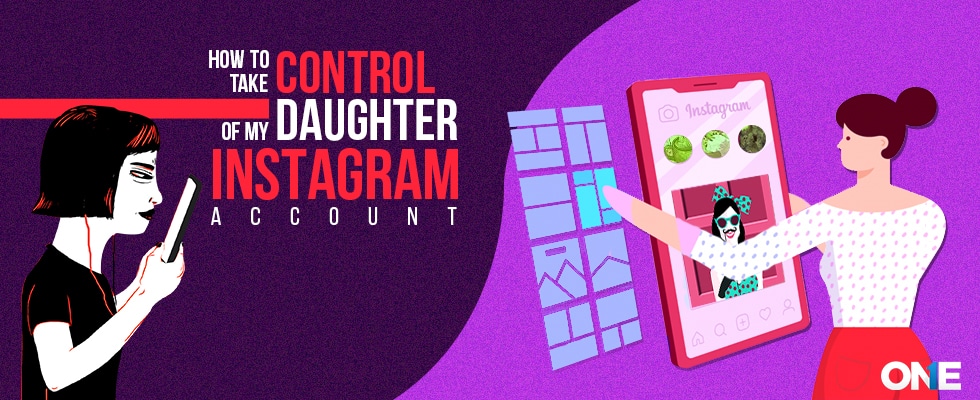
The popular sharing app has made parents restless over the years because teens are addicted to it. Parents are still ambiguous about it. Is Instagram Safe? How does it work? How to take control of my daughter’s Instagram account?
Young teens have taken a step ahead in creating Instagram profiles, and now they are making multiple accounts. Gone are the days when teens take selfies to share photos, videos on their social network accounts. Now they are creating multiple accounts, likewise their favorite celebrities. They make people follow their accounts of their interests and want to maintain a profile with regular updates.
You can monitor Instagram direct messages using TheOneSpy app. You need to install it on your target phone. Further, use an online dashboard and activate TheOneSpy features, chat logs, screenshots, screen recorder, and keystrokes logging. Users can capture message screenshots, read message logs of the photo-sharing app, and record live cellphone screens to view sent and received messages on the social network.
Teens Taking Their Instagram Seriously & Costing Their Private Data NBC News Report
NBC News reports said: Minors are also switching towards business accounts to watch the metrics. It enables teens to know how many people have seen their photos and videos. They are also sharing contact numbers, emails, city names, and addresses. Moreover, teens used to make beguiler accounts, business accounts, and Instagram reels.
Apart from teens’ accounts on photo-sharing apps, it is known for cyberbullying and online trolling. Kids are using the Instagram app to share photos and videos. They have to face rude and offensive messages and comments. Moreover, sex offenders and many others alike used to share adult content on the instant messaging app. The content shared by others on social networks could be disturbing, nude and violent, and deceiving.
Parents have to control Instagram accounts. It ensures kids’ safety and privacy online. Before we discuss how to monitor on Instagram and take control of your daughter’s account, you need to know about the following:
What Is Teen’s Instagram Beguiler Account?
Beguiler means to deceive someone by showing themselves something else on social media accounts. Instagram “rinsta and “finsta” are similar to beguiler accounts on the photo-sharing app. Most teens get involved in sexual fantasies and share photos and videos in a sexually suggestive manner. So, beguiler accounts on the photo-sharing app enable teens to remain sneaky by making fake profiles and by showing their faces blur. Moreover, teens create beguiler accounts to make friends and others to believe that is not true. Teens create beguiler accounts to get fame and followers, but in reality, they have nothing to do with that.
What is Instagram Reel?
Instagram reels are one of the popular features of the image-sharing app. It is a kind of TikTok version of Instagram. It enables teens to create and record short videos by using cellphone cameras and then share them on their social media accounts. Reel invites users to create videos for fun and to share them with friends and others. Users can record 15-second multi-clip videos alongside audio effects and creative tools. It means teens can now use the Instagram TikTok version and share videos for fun to be popular.
Why You Should Let Your Child Have Instagram?
Social media has infiltrated teens’ lives, and you need to know when you should allow your child to have an account. When you think that your child is mature enough to know about the Do’s and don’ts to be a digital citizen. Allow your kid to have an account when they know digital civility is the online duty, and when it is a trap; you can permit your teens to have an account on image-sharing applications. Further, it is all about your comfort level and how much you trust your child to allow for Instagram. However, you can keep spying on the photo-sharing app to discuss where your daughter has done high-risk stuff using a tracker app for Instagram.
Can I Monitor My Child’s Instagram?
Yes! You can monitor your child’s Instagram by enabling an Instagram monitoring app on your daughter’s cell phone active with TheOneSpy app. It can monitor your child’s account activity, like chat conversations, DMs, photos, and video sharing, using TheOneSpy app’s secure web control pane. The best way to control a child’s Instagram account is secretly. However, you can manually set your child’s account to private because Instagram app accounts are set to public by default.
Further, You Can Take Care Of Your Child’s Account Using The Following Steps:
- Change the Privacy settings
- Guide your child on how to use Instagram
- Be a follower & Friend
- Don’t respond to strangers & random messages
How To Set Instagram Parental Controls?
Parents love to set up social media accounts for their offspring. Cyber experts who offer parental control services would offer practical advice to create an Instagram account for your kids.
Things to Consider Before Setting Up an Instagram Account For Your Kid:
- The followers of the kid’s account can capture screenshots of images and share them with unknown people
- Insta is a photo-sharing app. It is all about images, and your child can develop an obsession with sharing photos.
- You are going to provide digital citizenship to your child well before he/she can understand do’s and don’ts. So, parents should set up Instagram spy software before handing over an account to their young child.
Create Instagram Account Using Following Steps:
- You need to visit the App Store (iPhone) & Play Store (Android)
- Download an application
- Open the app after installation
- Tap to sign up using your Facebook, email, or phone number
- After that, you can create your username and password, and further, Create your child profile and tap on Next
- Go to default settings and change your kid’s profile at custom mode to restrict strangers
Set Up a Shared Instagram Account
Before this innovation, many people resorted to using multiple phones just to manage their various Instagram accounts simultaneously.
In the past, photo-sharing app users had to have multiple phones to use several Instagram accounts. Now you can do it without facing hassles. You can follow the steps to create a shared account.
Step 1: Go and visit the settings and add the account
Step 2: Profile setting is the “head & shoulder icon and additional account would indicate the Triple dots icon
Step 3: Now you just need to tap on the username on your profile, and you can easily switch between multiple accounts
Step 4: Now you have several accounts, and Insta has added a profile image throughout the page, so you can get to know which application you are using at the moment.
Step 5: You can use a separate username and password for every account you have added; likewise, you have to sign up for an account at first. Now you have a new account in the app
Step 6: If you want to switch between accounts, you have to come back to your profile and choose the username. You will see a dropdown appear, and you need to select the particular one you want to use at the moment.
What Are Instagram’s New Teen Safety Features in 2025?
If your teens are using Instagram, Instagram finally upgraded its security systems in 2025. Pre-built safety measures ensure no strangers snoop into kids’ accounts. Moreover, no one messages them from the front. It hides behind dms request until your teen accepts not to show the direct inbox.
The best part is that Instagram is now officially driven the AI AI-based technology, which openly triggers the harmful effects of images and videos in real time. If suspicious acts try to pop up. It notifies you instantly and ensures that it provides the built-in security features to ensure safe use of the app.
Sleep Mode: Kids Need Proper Rest Time
Ever noticed your teen using a cell phone scrolling Instagram reels late at night? What will you do as it is supposed to be kids getting less sleep, driving to lower concentrations on study, affecting mental and physical health?
Isngtam is finally turning the sleep mode on so kids can not be able to use it overnight. Set the sleep time schedules so no notifications disturb kids’ sleep. It can be adjusted according to your demands. Less Instagram usage leads to healthy morning routines instead of cranky ones.
Set Instagram “Family Center Feature”
Instagram updates its privacy and comes with the family center feature for worried parents. Parents can check the kids’ activities without installing the monitoring app. They can
- Check the following follower lists.
- Restrictions after certain periods
- Minimal app usage rate
- Red flag alerts.
It’s healthy to be in a Family Center that features safe and healthy parent-child relationships.
Red-Flagged Parents Should Not Neglect
The smart way to monitor your teens is to use the safety apps, but you have to prepare some basic caution before shifting to Monitoring tools. First, if you feel these changes, such as:
- Staying late at night and scrolling
- spiken following, they do not meet in real life
- Hide Insta accounts and get furious when you want to check up.
- Having (fake account, secret conversation, and stranger connections.
These are the signs that appeared first. Be clear and thoughtful, and make your decision-making capabilities strong to avoid those challenging situations.
Can Teens Override Instagram’s Safety Measures?
Honestly? They can. The teens who have a little bit of tech knowledge might dodge the rules by using fake accounts to lock in private conversations. However, Instagram is becoming stronger day by day, coming with the innovative AI tools that within a second catch the suspicious acts.
But again, do not get angry with them; this is not the resolution. Open conversation is the only solution. When you respect their privacy and monitor without being overcontrolling, they automatically trust you and will not hide anything from you.
Instagram Safety vs Monitoring Apps: What’s Better?
Instagram safety features are reliable, but apps like TheOneSpy add more value in their personal lives. The app tracks their messages, video voice calls, and even captures screenshots, retrieval older chats, and more.
Note: Instagram security is trustworthy, but the tools like TheOneSpy cover the cracking holes to monitor everything that is missed or hidden. Both are the effective to use and together they give more comfort and ease.
Is There A Way To Protect Kids’ Instagram Without App?
Yes, you can protect kids’ photo-sharing app from strangers, and online predators for the digital well-being. Let’s take a look at the tips given below:
- Enable Instagram parental control for kid’s protection
- Go to account privacy and set the account as private
- custom account only allow their friends to visit their profile
- Visit the profile page of your child & remove unknown followers
- You can simply block comments by tapping on three dots & visit comments control
- You can un-follow all the celebrities’ accounts sharing nudes
- Block comments on specific or private posts of your daughter using three dots on the post
- You can guide your daughter on how to report or block an offensive material
After all the precautions you have taken to control your daughter’s Insta profile, and you are unable to do it. You need to use TheOneSpy on your kid’s phone to get rid of all the issues you are facing at the moment.
Final Words:
TheOneSpy is the best solution to take control of your daughter’s Instagram account. It brings ease to your life and puts your parental worries to rest. Bring it in your digital parental toolbox and keep an eye on your child’s social media activities to the fullest.
FAQs
You have set up a hidden Instagram monitoring app on your target cell phone device. It enables users to get access to the target phone secretly and track their Instagram account without them knowing. It remains hidden at the back end of the target device and empowers you to monitor and track messages, chat, record screen, voice, and video call logs with a schedule.
You can control your daughter’s Instagram using TheOneSpy on your kid’s cell phone. Before you install TheOneSpy, get access to the device. You can go through your kid’s profile settings and put it on custom mode that restricts strangers from kid’s photos and videos. A stranger cannot make comments underneath your child’s photos. However, TheOneSpy enables you to read messages, chat, multimedia, and voice call logs. Moreover, capture screenshots, record live phone screens, and capture keystrokes remotely.
None of the tracker apps for Instagram works without a target phone unless you install TheOneSpy. It enables users to monitor social networks without a target phone after installing the app on the target device. It can monitor and track social messaging apps to the fullest remotely via its secure web control panel. Users can read messages and chat conversations secretly. Further, you can monitor multimedia, voice, and video calls on Instagram without a target phone.