
Dozens of tracking applications are providing a variety of services. Some of them are for single purposes, but others are versatile, which makes it difficult for users to get lost in plenty of choices. The decision-making becomes complex in this case, because a user may consider plenty of key points. However, there are several legitimate reasons for every user to get their hands on the particular one. We are going to determine the comparison between TheOneSpy and FlexiSpy reviewed.
You can not believe that all the monitoring apps work as they used to make claims, and most of the software happens to be scam ones. Therefore, we would like to safe your money and time while making a purchase. Some applications may cost you a fortune but have a limited set of features. On the other hand, some monitoring apps are cheap, but they have all the desired features you need.
Therefore, in this post, we are going to discuss the head to head comparison between TheOneSpy and Flexispy in a detailed review on the behalf of the following things.
- Features
- Compatibility
- Price
- Pros and Cons
- User’s Reviews
Why FlexiSpy & TheOneSpy Should be an Ultimate Choice for Users?
While making a choice, people have to reckon many determinatives, so we have gathered information on TheOneSpy & Flexispy, the Top two monitoring apps giants. The following are the things on which these two are best in the business.
- Are you going to monitor children, employees, loved ones, and want to use it for individual purposes?
- Do you need to have a stealth mode while using these top two monitoring apps?
- Do you want specific parental control features and live monitoring features?
- Do you want an app for cellphones, tablets, PCs, and other computer devices?
- Do you need an app to monitor in real–time mode on your target device?
What is TheOneSpy Monitoring App
It is like an old vine; the more it gets older, the better it will be. It is one of the pioneers of the surveillance business. It is for the sake of spying on cell phone devices. Later on, having immensely positive appreciation, the platform has come up with the monitoring of tablets, computers, and laptop desktop PCs. It is beneficial for multiple activities, such as setting parental control on kid’s digital devices, monitoring on business-owned PCs, and phones. You can use it to keep an eye on your loved ones.
Each product of TheOneSpy has dozens of features that work efficiently and provide results in such a short period. It has all the traditional, typical, and exclusive features that no other tracking app has yet. It gives you a web portal for operating and getting the information. Users can install it on the target device, but physical access is necessary because remote installation is not applicable. Users have to install it manually and get the job done.
What is Flexispy Monitoring Software
FlexiSpy is one of the pioneer spy apps in the world. It provides a number of solutions for tracking contemporary phones running on different operating systems.
Furthermore, you can monitor iPads, PCs, and computer devices with its state-of-the-art spy solutions. The app enables parents to perform parental monitoring on kids’ digital devices, and to protect business safety to the fullest.
Users can install the monitoring software they need on the target device and use the web portal to monitor the information on the target device.
Apart from spy software, Flexispy is the only platform that provides you with spy devices in terms of spy shop that provides you heavy gadgets to do surveillance on the target person. That’s why Flexispy is the ultimate solution for tracking digital devices.
Overview: TheOneSpy vs. FlexiSPY at a Glance
When it comes to Android, iPhone, Mac and Windows applications, TheOneSpy and Flexispy is going head to head. TheOneSpy offers seamless tracking without rooting or jailbreaking, making it more user-friendly for parents and employers. FlexiSPY, on the other hand, provides advanced iPhone features but often requires jailbreaking.
TheOneSpy Software for Digital Devices:
TheOneSpy is packed with multiple products for cellphones, tablets, PCs, and computer devices. Each application of TheOneSpy has dozens of sets of features, and collectively it has more than 250+ features for monitoring cell phones. Furthermore, PC and computer tracking apps have 50+ features.
- Android monitoring app
- iPhone tracking software (Non-Jailbreak & Jailbreak)
- Mac monitoring Software
- Windows monitoring Software
Flexispy Monitoring Software Products:
FlexiSpy is offering a number of products for mobile, iPad, iPhone, and for MAC & Windows PCs and computer devices respectively. Each application has a good set of features that make it one of the best applications in the current scenarios.
- Phone tracking software for Android
- iPhone monitoring software
- iPad spying software
- Computer monitoring App
- Windows surveillance software
TheOneSpy vs FlexiSPY: Which App Gives You the Ultimate Monitoring Power?
TheOneSpy and FlexiSPY are two of the most recognized names in the monitoring app industry, but they differ in terms of usability and feature depth. TheOneSpy focuses on easy installation, real-time monitoring, and advanced parental control tools without a complex setup.
FlexiSPY, meanwhile, delivers powerful tracking features but often requires jailbreaking, making TheOneSpy the more practical choice for most users.
TheOneSpy Features for Android Monitoring
TheOneSpy has hundreds of basic, advanced, and exclusive features for Android phones and tablet devices. It works on both rooted and non-rooted devices, which has made the application grand when you compare it with other applications. The app is packed with voice recording features, social media monitoring, and camera and MIC bugging on Android. Moreover, the cell phone tracking app has perfectly engineered GPS location tracking features, call logs, IM logs, and many others. Let’s discuss all the features of TheOneSpy app to track on Android phones and tablet devices.
Live Spy360 Streaming:
TheOneSpy enables users to get live camera streaming of target cellphone devices to view surroundings and further you can get live surroundings listening to know what is happening in target phone surroundings in real-time using Spy360 live camera streaming, and Spy360 live surround listening tools.
Call Recording & logs:
Users can use the dashboard and activate call history, recorded phone calls, VoIP call recording and Restricted incoming call tools to get incoming and outgoing phone call recording, call logs, record video calls like WhatsApp, Telegram, Viber, WeChat and many more.
Bugging/ Surround Recording:
You can remotely bug cellphones such as Video camera bugs, and MIC bugs. Further, users can use the Snap bug to record surrounding voices, visuals, and capture surround photos remotely.
Password chaser:
It enables users to monitor PIN codes, Pattern locks, and Passwords applied to the target Android.
Keylogger:
Users can get applied keystrokes on target mobile devices like WhatsApp keystrokes, messaging keystrokes, password keystrokes, and email keystrokes etc.
Track Social messaging apps without root:
TheOneSpy users can get the logs of all instant messaging apps without rooting the target Android device to get IM messages, chat, voice calls, media, and voice messaging logs. However, users can monitor plenty of other social messaging or dating apps.
Capture screenshots:
Users can remotely capture screenshots of the target phone screen in real-time and send the screenshots to the dashboard.
Live screen recording:
You can remotely perform live screen recording of the target device screen, camera, chrome, default browsers, Email, SMS screen, and all the instant messaging or dating apps installed on the target device. You can watch the recording via the dashboard.
SMS logs with location:
Users can track the location of the target device from where they have received the SMS using the location of the contact.
Geo-location:
Users can track the location of an android phone using a live location tracking tool, get location history, and track location without GPS.
TheOneSpy Software – Technicalities
- Security & Personal use
- Remotely lock phone,
- data backup and installed apps logs
- Sim Change notification alerts
- Flexibility
Geo-Fencing:
Users can use this particular feature of TheOneSpy software. Create a virtual circumference electronically around the target device location, and get a notification when the target is entering or leaving the fence. However, you can mark safe and forbidden zones.
Email Monitoring:
You can monitor and track sent and received emails of Gmail on a cell phone device using TheOneSpy software.
Contacts:
You can get access to the target cellphone device of Android and monitor complete phone books, Appointments, and memories stored in phone calendars.
Photos & Multimedia:
Anything shared via the target Android phone, such as photos, videos, and documents, can be accessed using the TheOneSpy dashboard.
Internet history & marks:
Users can monitor visited websites on Android and bookmark webpages with a time stamp.
TheOneSpy Exclusive Features for Android
VoIP call recording
-
- Facebook call recording
- WhatsApp call recording
- Telegram VoIP call recorder
- Viber call recording
- Line call recording
- WeChat call recording
- Retrieve all deleted messages from WhatsApp, Instagram, Facebook, etc
- Monitor instant messaging apps’ logs
- Get logs of Android by using the free Mobile Viewers App
- Uninstall TheOneSpy applications remotely using the dashboard
- Android tracking app is compatible with Android 7 and the latest 16
TheOneSpy – iOS Features: (Non –Jailbreak solution)
iPhone Messages: You can see iPhone messages without jailbreaking.
Call logs: You can track the logs of the iOS phone’s incoming and outgoing call logs.
Safari Browser history: You can monitor the browsing activities.
Geo-Location: You can track location and create Geo-Fence in the surroundings of the iOS device.
Device information: You can monitor complete device info remotely from the target device.
Photos: Remotely get captured, shared, and received photos on the iPhone device.
TheOneSpy Features for Computer Monitoring Software
Computer tracking software is filled with several features to track all the activities that happen on the target laptop and desktop computer devices. Users can block software, capture screenshots, and record short back-to-back videos by using a screen recording feature.
In addition to that, users can use keystrokes to capture an applied keystroke and bug camera and microphone to capture photos and listen to their surroundings. You can start pausing all features using the sync setting feature.
You can use features such as viewing installed applications to determine what sort of software is installed on the target device. You can use website blocking, camera snaps, PC location tracking, software usage, screenshots, and browsing activities. In addition, you can read emails and the surround recorder.
FlexiSpy Features for All Devices
TheOneSpy and FlexiSPY are both heavy hitters in the monitoring app world. FlexiSPY has iPhone monitoring for now, but TheOneSpy counters with its exclusive Live Spy360 feature and a much lower price tag. TheOneSpy truly stands out in its affordability—delivering nearly the same capabilities at a fraction of the cost.
FlexiSpy Features for Android
Listen to live phone calls: You can listen to the live Android calls by spying on your target phone.
Track device locations: Track the GPS location of your target phone with a time stamp.
Listen to surroundings: Users can remotely record the surrounding conversation of Android.
Monitor chat apps: You can read the instant messaging apps chat active on the target phone.
Contacts: You can monitor contacts stored on a cell phone device with a timestamp.
See browsing history: You can monitor internet activities on target mobile browsers.
Track Application activity: Users can spy on the activity logs of all the applications installed on the target device.
Remote camera capture: You can control the camera on Android to capture photos remotely.
View media files: Now spy on multimedia shared on a cellphone device with a timestamp.
Keylogger: You can record applied keystrokes on the target phone with a timestamp.
Flexispy Exclusive Features
- Improved WhatsApp & Instagram message capturing for iPhone
- Flexispy enables you to capture Microsoft Outlook 365 Webmail
- It is compatible with Android OS version 14
- Use your PC to record and listen to the phone calls
Flexispy iPhone & iPad Features (Jailbreak Solution)
Listen to the surroundings: Open your iPhone microphone and record and listen to the surroundings.
Listen to live phone calls: You can record iPhone incoming and outgoing calls.
Track device location: Flexispy enables you to track the GPS location of the iOS phone.
Monitor chat apps: You can monitor chat conversations on instant messaging apps.
Spy on contacts: You can track the iPhone phone book remotely with Flexispy.
Spy on internet activity: You can get to know about all the internet activities on browsers in particular.
Remote camera capture: You can capture photos by controlling iPhone cameras.
View media files: You can monitor and spy on shared multimedia on IOS cellphones.
IPhone keylogger: Capture applied keystrokes such as passwords, chat, and email keystrokes.
Flexispy Features for PC & MAC
Monitor IMs: You can monitor all instant messaging apps running on PC & MAC.
Verify Network Activity: You can keep track of computer and PC networks and user logins.
Spy on Internet activity: You can spy on all the internet activities happening on PCs and Mac devices.
Safeguard your data: It enables users to safeguard data stored on computer devices using data backup.
Temper controls: Flexispy enables users to use a Mac and PC spy software sneakily on target devices.
Easy to view data: Users can view the monitored data stored on the web portal easily.
Keylogger: You can capture and record keystrokes used on computers and PC.
Read Emails: You can monitor sent and received emails on the target device.
TheOneSpy VS Flexispy OS Support Comparison
TheOneSpy supports both Android and iOS devices with flexible non-root and non-jailbreak options for easier setup. FlexiSPY also works on Android and iOS, but many of its advanced features require rooting or jailbreaking the device.
However, one way or the other, TheOneSpy has features that do not require root, but Flexispy’s exclusive and traditional features do require root and jailbreak to become compatible with Android, iOS, and other devices.
Both applications have the products that users wish to have, but TheOneSpy has more compatibility with the OS of the products compared to Flexispy.
TheOneSpy OS Support (Android, MAC & Windows)
TheOneSpy- Android OS: You can use this Android spy app on all contemporary phones and tablets starting from 6.0, up to 16.
TheOneSpy –MAC OS: macOS monitoring software is compatible with all kinds of laptops and desktop devices running with macOS operating systems.
TheOneSpy –Windows OS: Windows monitoring software is compatible with all Windows OS versions, devices such as XP, Windows 7, 8, up to 10.
Flexispy OS Support (Android, iOS, MAC & Windows)
Flexispy –Android OS: Android tracking app is compatible with phones running OS 8, OS 9, and OS 14.
Flexispy- iPhone: iPhone monitoring spy app supports iOS 6.0 up to 13.x & it does support iPads starting from 6.0 to 13.x .
Flexispy-Windows OS: It is compatible with Windows 7, 8, 8.1, up to 10.
Flexispy -MAC OS: Users can use it on MAC Mavericks, Yosemite, EL Capitan, Sierra, High Sierra, and macOS Mojave.
Pricing Overview: TheOneSpy vs FlexiSpy
As far as TheOneSpy and Flexispy are concerned, these two top monitoring brands are going head-to-head in features & prices. However, TheOneSpy iPhone monitoring is coming soon, so Flexispy has got an edge there. On the other side, TheOneSpy has almost the same features, but TheOneSpy has a Live spy360 unique feature.
TheOneSpy price is far less than the Flexispy. That’s why TheOneSpy has an edge to get the job done as Flexispy does, but at such cheap rates compared to its counterpart. So, the final verdict is that TheOneSpy is superior to its counterpart because of its reasonable price.
TheOneSpy Prices for Android
TheOneSpy is offering two subscription plans for the phone tracking app. One is X Lite Edition, and the second one is Premium Edition.
Users can get TheOneSpy XLite monthly Subscription for $26.99,
Quarterly subscription is $49.99, and yearly is $79.
Furthermore, users can subscribe to TheOneSpy premium per month for $39, Quarterly for $75, and yearly for $89.
Visit TheOneSpy packages page to check the features list along with the subscription plan.
TheOneSpy Prices: For MAC Monitoring Software (Computers Laptop/Desktop)
TheOneSpy is offering a premier package for just $29 per month, $49 for 3 months, and $69 for 12 months.
TheOneSpy Prices: For Windows Tracking App
TheOneSpy is offering Windows Premier package for 1 1-month package at $29, 3 3-month package at $49, and 12 12-month package at $69.
Note: TheOneSpy User Can Get 50% Discount
Flexispy Prices for Android and iPhone
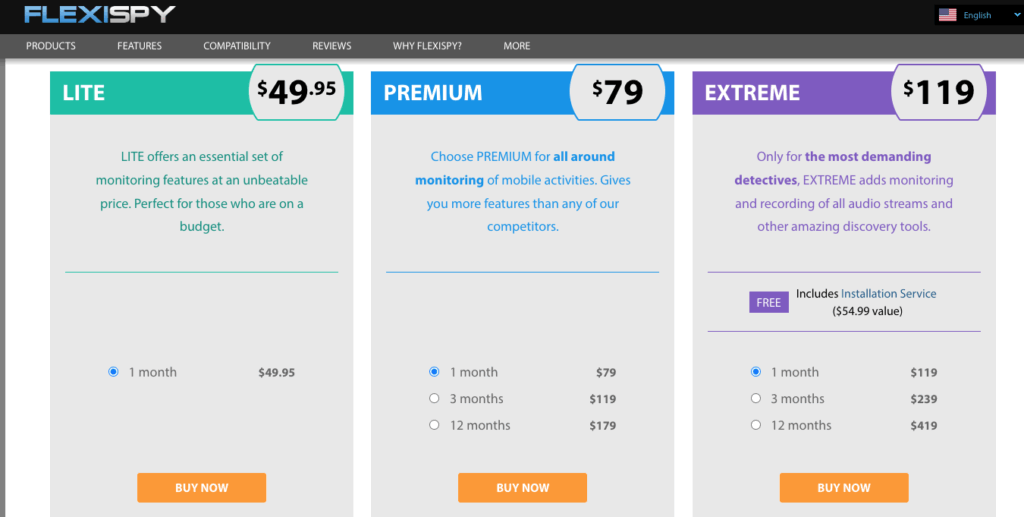
FlexiSpy is offering a Lite package for a month only for $49.95.
User can get the Premium package for a month for $79, for 3 Months for $119, and for 12 months for $ 179.
Users can also get an Extreme plan for one month $119, a three-month package for $239, or 12 months for just $419.
FlexiSpy Packages for Completer & Apple iPad
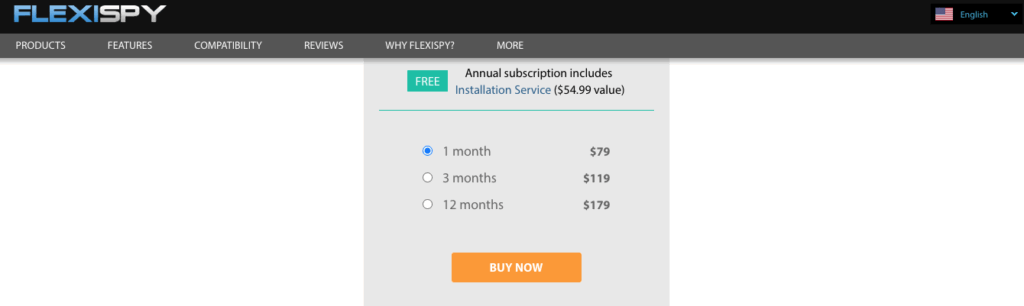
Users can subscribe to the Computer or iPad package for 1 month at $79, for 3 months at $119, and for 12 months at $179, respectively.
TheOneSpy Pros and Cons
Like every powerful tool, TheOneSpy comes with its strengths and a few trade-offs—here’s a quick look at the pros and cons:
Pros
- Real-time monitoring with quick data syncing to the online dashboard.
- Easy to install with no need for rooting or jailbreaking on most devices.
- Strong parental controls, including call recording, social media tracking, and GPS location.
- Affordable pricing compared to other monitoring apps with advanced features
- Reliable customer support to help with setup and troubleshooting.
Cons
- Requires stable internet on the target device for smooth updates.
FlexiSpy Pros and Cons
Before you jump in, here’s a quick look at where FlexiSPY shines and where it falls short:
Pros
- FlexiSpy has advanced features that give deep insights into online activities.
- It is a user-friendly dashboard that anyone can navigate without tech skills.
- Offers rare capabilities like live call listening.
Cons
- Lacks essential controls like app and website blocking for child safety.
- No screen time tracking to show how long apps are being used.
- Data-heavy reports require manual review to set alerts effectively.
- Higher pricing compared to many other monitoring systems
TheOneSpy Reviews by Customer
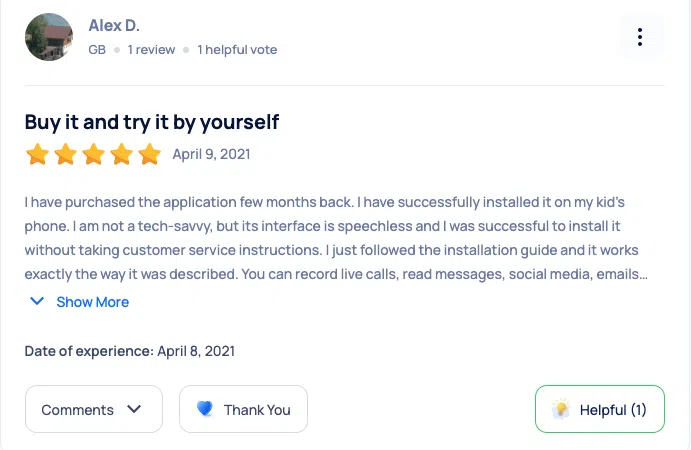
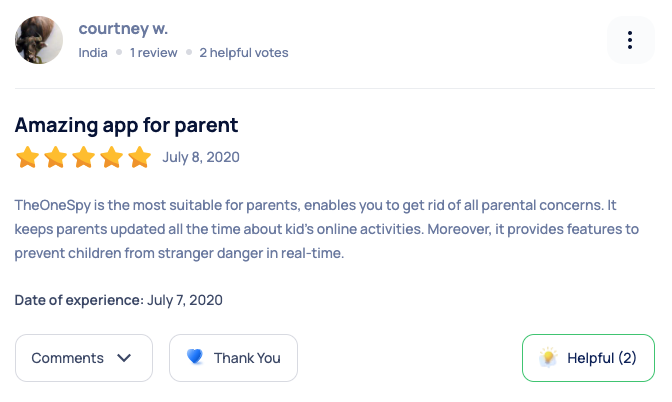
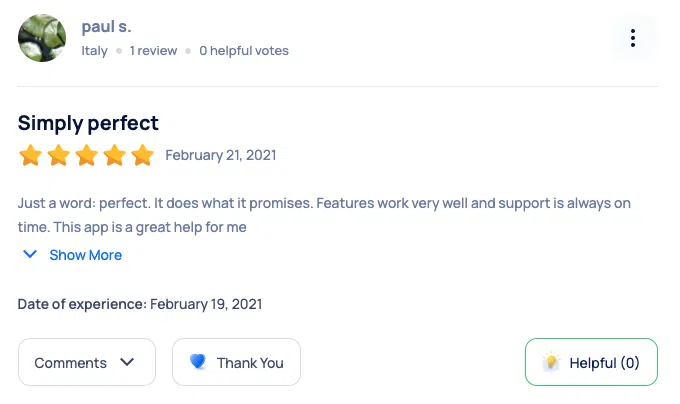
FlexiSpy Real User’s Reviews
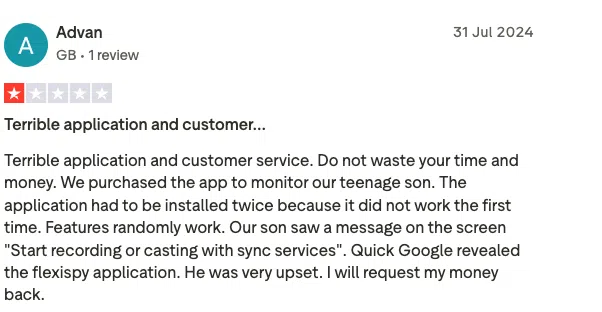
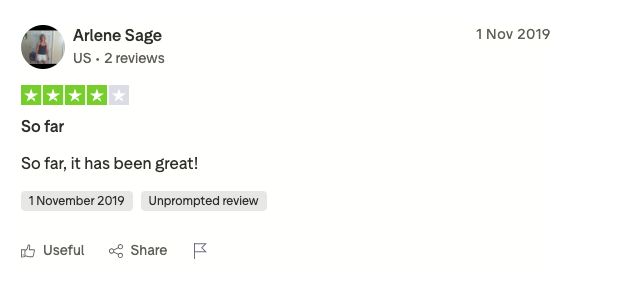
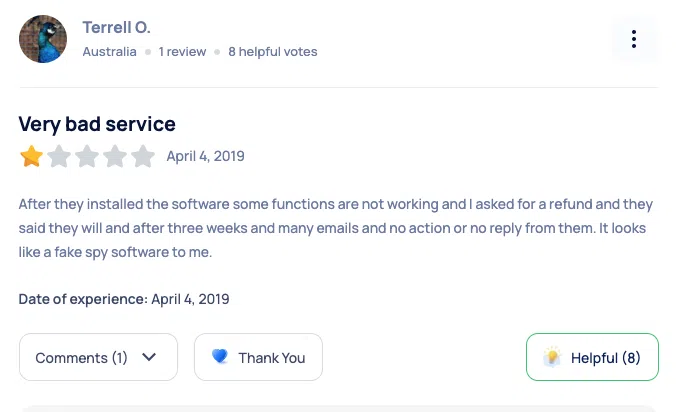
Conclusion:
TheOneSpy and Flexispy are running head-to-head, and both applications are offering multiple products for many different operating systems. Both of the two top brands of the monitoring business are equipped with dozens of features. However, TheOneSpy has far more exclusive features compared to Flexispy.
Flexispy has come up with more features for iOS devices, but it is offering the same features for Android, which are unseen in iOS devices. So, both of the applications, TheOneSpy and Flexispy, are great ones in their domains. However, TheOneSpy is far superior because of its reasonable price range and has a unique Live spy360 feature.