The question usually arrives during a worried moment: a school bus is late, a new driver misses a turn, or a child does not answer on time. A parent wants reassurance. A young person wants room to grow. Both needs are real.
Location sharing can support a family plan. It cannot eliminate uncertainty, teach judgment by itself or confirm that a child is safe. The decision is less about whether tracking is always good or bad and more about purpose, age, risk, boundaries and how parents respond to the information.
Start with the problem, not the feature
Name the situation in one sentence. “We need help coordinating pickup after soccer” is specific. “I need to know where you are at all times” is not.
Reasonable short-term uses may include:
- a first independent route;
- travel in an unfamiliar place;
- a late-night ride;
- a medical or accessibility need;
- coordinating a pickup;
- finding a lost family device.
Constant access may be harder to justify when ordinary check-ins work, the child is older, or the information is being used to question every stop.
Match oversight to age and maturity
A younger child may need more structure and fewer technical choices. A teenager needs a clearer explanation, meaningful input and a route toward greater independence.
Age is not the only factor. Consider travel skills, disability needs, neighborhood conditions, family circumstances and whether the child understands what to do when plans change. Avoid turning a single mistake into permanent surveillance.
Set a review date. Ask what must happen for access to become narrower: successful check-ins, responsible travel, keeping the phone charged or speaking up when plans change. Progress should be visible to the child, not held behind an undefined standard.
What location sharing can help with
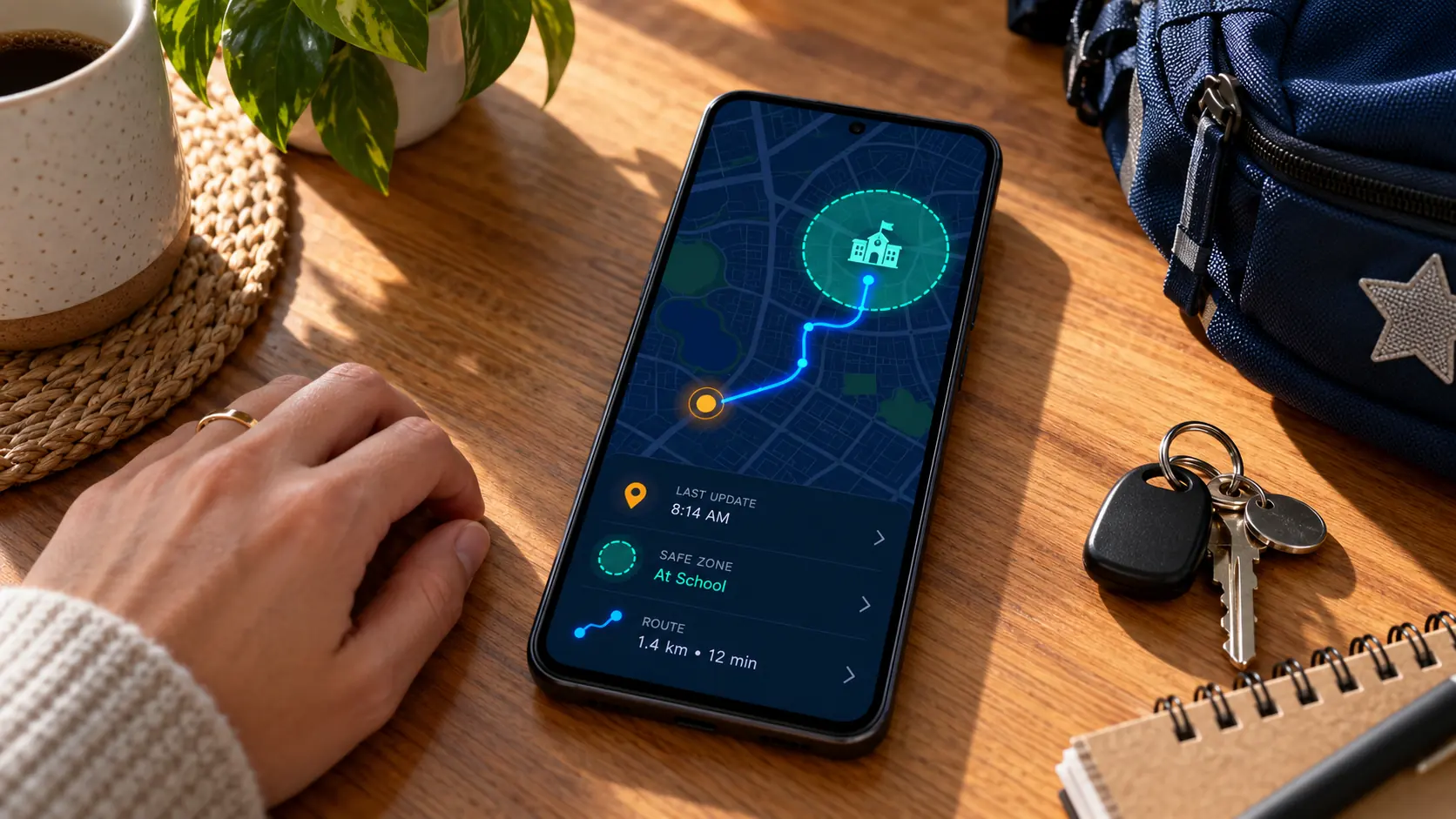
Used carefully, it can reduce repeated “Where are you?” messages, coordinate pickups and give context when a journey is delayed. A geofence may remind a parent that a phone appeared to reach or leave a familiar area. Route history may help discuss a transportation problem.
Those are coordination signals. They are not character judgments.
What it cannot establish
A device location cannot prove:
- who has the phone;
- why a route changed;
- whether the child entered a building;
- what happened between updates;
- whether a child lied;
- whether a child is safe.
Location can also be stale or missing because of battery, connectivity, buildings, permissions, power settings or background restrictions. Read the timestamp first.
The trust cost of constant checking
A child who expects every movement to become an interrogation may stop asking for help, leave the phone behind or move important conversations elsewhere. The technology has then made the family less informed, not more.
Parents can reduce that cost by agreeing when they will look. For example: after a missed check-in, during a requested pickup, or when the child asks for help. Routine curiosity is not the same as a safety need.
Tell the child what will happen after an alert. A calm call should come before an accusation. A dashboard record should begin a question, not end the conversation.
Build the agreement together
Cover these points:
- Which device is included?
- What information can parents see?
- Who has account access?
- When will parents check?
- What happens if an update is delayed?
- How can the child request a change?
- When will the arrangement be reviewed?
Use the family technology agreement to record the decision. Include parent behavior too: no screenshots shared with relatives, no teasing about routes, no checking solely to satisfy curiosity and no punishment based on an unexplained dot.
Choose the smallest useful tool
For one journey, temporary Google Maps or Apple Find My sharing may be enough. For supervised Android children, Google Family Link may cover the need. Apple families should begin with Find My and Family Sharing.
A compatible Android parental-control service may add route or geofence context. Compare choices in the family locator app guide and learn the technical limits in the Android GPS and geofencing guide.
TheOneSpy does not offer an iPhone monitoring app.
Respond well when a dot creates fear
First, check the time and device status. Then make ordinary contact: “The phone has not updated since 4:05. Are you okay?” Contact the responsible adult or destination when appropriate.
If there is credible danger, a missing child, a medical emergency or a report of abuse, use the appropriate emergency or professional response. Do not delay because a map appears reassuring, and do not assume danger solely because a map is blank.
When tracking is not the right solution
Location sharing is not treatment for family anxiety. It is not evidence in a relationship argument. It should not be used to control an adult partner, investigate friendships or punish normal independence.
If a child is avoiding school, running away or meeting unsafe people, the location may reveal only a symptom. Listen for bullying, anxiety, family conflict, learning difficulty, exploitation or another underlying problem. Appropriate school, health or safeguarding support may matter more than another alert.
Protect the location data
Use a unique parent password, multifactor authentication where available and a secure recovery method. Remove former caregivers. Review active devices and recipients. Delete or limit history when it no longer serves the agreed purpose.
Location can reveal home, school, worship, medical visits and routines. More history is not automatically more safety.
Where TheOneSpy fits
TheOneSpy's current direction is visible, permission-based parental control for compatible Android devices. Supported location features require an openly managed device, required setup and Android permissions. Availability depends on the device, Android version, app version, plan, permissions, region, connection and current implementation.
Use the compatibility checker before relying on a feature. No product can promise an exact position in every setting, guaranteed alert delivery or proof that a child is safe.
The better measure of success
The goal is not a perfect map. It is a child who knows how to handle a changed plan, contact a trusted adult and ask for help without expecting humiliation.
If location sharing makes those conversations easier, it may be useful. If it replaces them, the family needs to change the plan.
Frequently asked questions
Is it okay for parents to track a child’s location?
It can be appropriate when it serves a clear family-safety or coordination need, is visible and age-appropriate, follows applicable law and includes boundaries and review.
At what age should parents stop location tracking?
There is no universal age. Reduce oversight as maturity, skills and circumstances allow. Older teenagers should have meaningful input and a clear path toward more privacy.
Should a child know location sharing is active?
Yes. Explain what parents can see, when they will check, what happens after an alert and when the rule will be reconsidered.
Does a location pin prove my child is safe?
No. It is a device report. It cannot confirm who carries the phone, what is happening nearby or a child's physical or emotional condition.
What if my child turns location permission off?
Ask what happened before assuming defiance. The setting may have changed, the app may be restricted or the child may feel the agreement is unfair. Review both the technical problem and the family rule.
How this guide was researched
This guide was checked against current child-location documentation from Google For Families, Google Maps and Apple Support, plus family privacy and digital-parenting guidance from the American Academy of Pediatrics and UNICEF. TheOneSpy wording was checked against current compatibility, privacy, consent, location and geofencing pages. No family behavior, location accuracy, alert speed or product reliability was field-tested.
To see what a reported location can and cannot tell you, read about location tracking for parents.