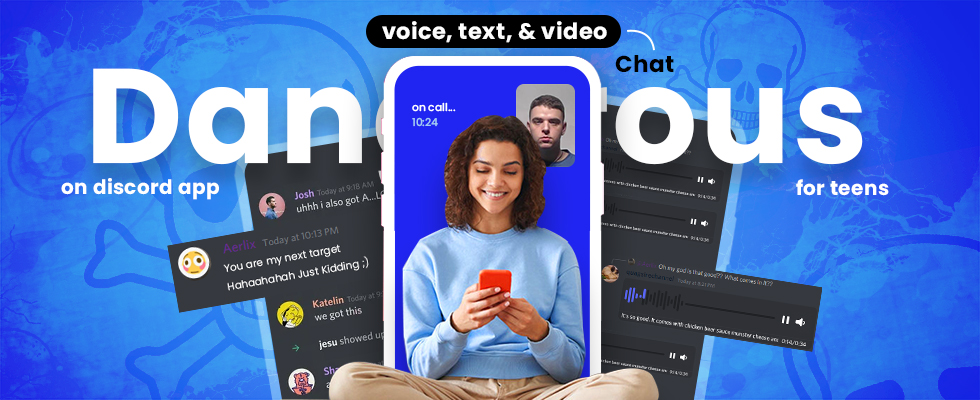
Discord is where gaming conversations go once they leave the game. If a child plays Roblox, Fortnite or Minecraft with friends, there is a good chance they are already on Discord or being invited to join. The platform has made real changes to teen safety in the last year, including global teen-by-default settings and mandatory age assurance — but the controls still have specific, important gaps that parents need to understand before handing over an account.
This guide covers what Discord parental controls actually do in 2026, what they cannot do, and how to set them up properly.
Is Discord safe for kids?
The honest answer is that Discord is safer for teenagers than it was two years ago, and still not built for children.
Discord’s own minimum age is 13. Apple rates the app 17+ in the App Store, which is a useful signal in itself — and a practical tool, because a Screen Time content rating set below 17+ will block installation on an iPhone or iPad outright. Google Play carries a lower rating with warnings about user interaction and in-app purchases.
The platform serves over 200 million monthly users across communities covering every conceivable interest. Most of it is unremarkable: friends coordinating a game, hobby servers, study groups. The risk is not that Discord is uniquely dangerous. It is that Discord combines real-time voice, private messaging and large public communities of strangers in one app, and the parental controls cover those three things very unevenly.
For a 13-to-15-year-old, Discord is manageable with the settings below and an ongoing conversation. For under-13s, it is not appropriate, and the account would be against Discord’s own terms.
What changed in 2026: teen-by-default and age assurance
Discord announced global teen-by-default settings around Safer Internet Day in February 2026, and from March 2026 every account is treated as a teen account unless the user verifies they are an adult.
In practice this means sensitive and mature content is blurred or blocked by default, age-restricted servers and channels are unavailable, and certain safety settings are locked on rather than merely switched on. A teenager no longer has to configure their way to safety — they start there.
Verification works in layers. Discord first uses an age-inference model based on account signals such as account age, activity patterns and payment methods. Where confidence is low, the user is prompted to verify through a facial age estimate or a government ID upload. Discord states that a user’s verified age group is not visible to other users.
This is a meaningful improvement and it is not foolproof. Age inference can be wrong in both directions, and determined teenagers have historically found ways around every verification system built. Treat teen-by-default as a better floor, not as a solved problem.
The age-verification tradeoff parents should know about
There is a genuine cost to age verification that is worth being clear-eyed about, because it affects the whole family.
On 20 September 2025, an attacker compromised 5CA, a third-party customer support vendor Discord used. Discord’s own disclosure confirmed that roughly 70,000 users may have had government-ID photos exposed — images the vendor held to review age-related appeals. Names, usernames, emails, IP addresses and partial billing details were also accessed. Discord disputed much larger figures claimed by the attackers as part of an extortion attempt.
The lesson is not that Discord is uniquely careless. It is that every ID uploaded anywhere becomes a file that lives on someone’s server, gets handled by support staff, and can leak. Where a facial age estimate is offered as an alternative to an ID upload, it is generally the lower-exposure option. And a teenager’s account should not need adult verification at all — if a child is being prompted to upload ID, that is worth a conversation about why.
How to set up Discord parental controls
Discord’s parental controls live in two places: Family Center, which gives a parent visibility, and the teen’s own privacy and safety settings, which do the actual protecting. Both matter, and the second is more important than the first.
1. Connect Family Center
Family Center works through mutual opt-in. Both the parent and the teen need Discord accounts, and both must agree to link — a teen cannot be connected without their knowledge, by design. Up to three parents or guardians can be connected to one teen account.
Find it under User Settings → Account → Family Center. Discord generates a QR code or link the teen scans or approves to complete the connection.
2. Lock down direct messages
This is the single highest-value setting. In Privacy & Safety, set direct messages so that only friends can send them, and disable message requests from server members. Most grooming and scam contact on Discord begins as a DM from someone met in a large public server.
3. Turn the content filter to maximum
Set the sensitive content filter to scan and blur or block content in all direct messages and server channels, not just from non-friends. On a teen-by-default account much of this is already enforced, but confirm it rather than assuming.
4. Restrict who can add them as a friend
Friend request settings can be narrowed to friends-of-friends or server members only. Turning off open friend requests removes a large share of unsolicited adult contact.
5. Set screen downtime and a spending cap
Discord now supports scheduled screen downtime and a spending cap through Family Center — useful for both bedtime boundaries and preventing surprise Nitro and gift charges.
6. Review the servers they have joined
Family Center lists servers joined. Large public servers with open invite links are where most risk originates; small friend-group servers are usually fine. Go through the list together rather than silently auditing it.
What Family Center does not show you
This is where parents are most often caught out, so it is worth stating plainly.
Family Center shows: servers joined, friends added, users messaged, total call minutes, top servers and contacts, and purchases — delivered as a weekly activity summary.
Family Center does not show: message content, what was said in voice calls, or specific DM conversations. It sends no real-time alerts.
The largest gap by far is voice. Discord voice channels leave no log at all. Nothing is recorded, nothing is retained, and no parental control tool of any kind can review what was said in a voice call. Given that voice is how much of the platform actually gets used, a parent relying solely on Family Center has visibility into the frame around the conversation but not the conversation itself.
Teens can also choose to notify a connected parent when they file a safety report. The notification is deliberately contentless — it just prompts a conversation.
The risks worth knowing about
Discord’s own enforcement figures give a sense of scale. Reporting on the platform’s transparency data for 2026 records tens of thousands of servers removed for policy violations, with more than half of those removals related to child safety, and well over 150,000 accounts disabled.
The specific risks that matter for a teenage account:
- Adult contact through public servers. A large interest-based server puts a 14-year-old in the same space as thousands of adults. Contact usually moves to DMs quickly, which is why the DM setting matters more than any other.
- Voice channels. Unlogged, unmoderated in practice, and where a relationship can develop with no record. This is the platform’s real blind spot.
- Grooming and sextortion. Discord appears frequently in reported cases, often as the second platform — contact starts in a game, moves to Discord for privacy. Our guides to the warning signs of grooming and what to do about sextortion cover the pattern and the response in detail.
- Scams. Free Nitro offers, fake giveaways and account-token phishing are constant, and teenagers are the primary target.
- Self-harm and disordered eating communities. These migrate between platforms and periodically reappear on Discord in servers with innocuous names.
Beyond the in-app settings
Discord’s controls handle Discord. They do not manage total screen time across a device, they do not cover the game the child was playing when the invite arrived, and they cannot tell a parent that a friendship has moved somewhere concerning.
Device-level controls fill part of that gap — Apple Screen Time and Google Family Link both handle installation, app time limits and downtime, and Screen Time’s 17+ rating block is the simplest way to keep Discord off a younger child’s phone entirely.
For families who want more visibility than Family Center provides, parental monitoring software can cover app usage and activity across the whole device rather than one app. The condition that makes it work is the same one Discord built into Family Center: the child knows. A teenager who has agreed to an arrangement will come to a parent when something goes wrong. One who discovers hidden monitoring will move to a device or account the parent does not know about, which leaves everyone worse off than before.
Common questions about Discord parental controls
Can parents read their child’s Discord messages?
Not through Discord. Family Center is deliberately built to exclude message content, and voice calls are not recorded at all. Any tool claiming to give a parent covert access to Discord message content should be treated with suspicion.
What age is Discord appropriate for?
Discord’s minimum is 13 and Apple rates it 17+. For most families, 13 to 15 is workable with DMs restricted, the content filter on, Family Center connected and an ongoing conversation. Below 13 it is not appropriate.
Can a teen disconnect Family Center?
Yes. The link is mutual and either side can end it, and the parent is notified if the teen disconnects. This is intentional — it makes Family Center a transparency tool rather than a surveillance one, and the notification itself is the signal worth paying attention to.
Does teen-by-default mean Discord is safe now?
It means the defaults are considerably better. It does not remove the need for the DM and friend-request settings, and it does nothing about the voice-channel gap.
The short version
Discord in 2026 is a reasonable platform for a supervised teenager and a poor one for a child. The settings that do the most work are restricting DMs to friends only, maximising the content filter, and limiting friend requests — all of which take about five minutes. Family Center is worth connecting for the server and contact visibility, provided everyone understands it will never show message content.
The gap no tool closes is voice, and the only thing that covers it is a teenager who is comfortable telling a parent when a conversation gets strange. That is built through the arrangement being open, which is worth more than any setting on this page.